
Choosing LCD display modules for control-room monitoring systems requires more than comparing screen size and resolution. In this environment, the display is not a general-purpose viewing device. It is part of an operational interface used for monitoring, judgment, response, and long-duration observation. That means the selection priority is not consumer-style headline specifications, but long-term readability, 24/7 stability, cross-screen consistency, and lifecycle support.
To choose LCD display modules for control rooms, engineers should prioritize practical readability, stable visual performance during continuous operation, integration compatibility, and long-term consistency. The right selection depends on viewing angle, suitable brightness, color uniformity, reliability, and lifecycle planning rather than on size or resolution alone.
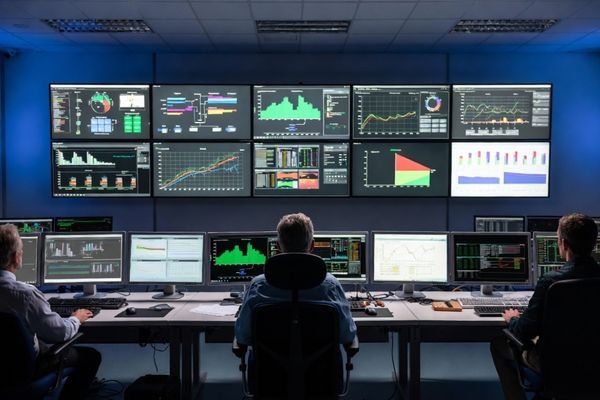
Based on my LCD display module integration work at LCD Module Pro, I have seen many projects where teams selected displays according to consumer-style specifications and only later discovered operational problems. Typical issues include brightness drift1, color mismatch between adjacent screens, unstable long-term behavior, and early backlight degradation. In control-room systems, these problems are not minor inconveniences. They directly affect operator comfort, interpretation accuracy, and maintenance cost over time.
A display that performs well on day one may still fail operationally if long-term brightness and color stability are not controlled. That is why engineers should treat control-room LCD selection as a system-level design task. The goal is to choose a module that remains readable, stable, and serviceable throughout the full operating lifecycle of the monitoring system.
What Makes Control-Room Monitoring Systems Different from Ordinary Display Applications?
The main difference is that a control-room display is an operational tool used continuously for real monitoring work, not a casual viewing screen.
Control-room systems are different because they require continuous 24/7 reliability, stable long-term visual performance, and consistency across multiple screens. Operators rely on these displays for prolonged observation and decision-making, so readability, off-axis stability, and integration suitability matter more than consumer-style display appeal.
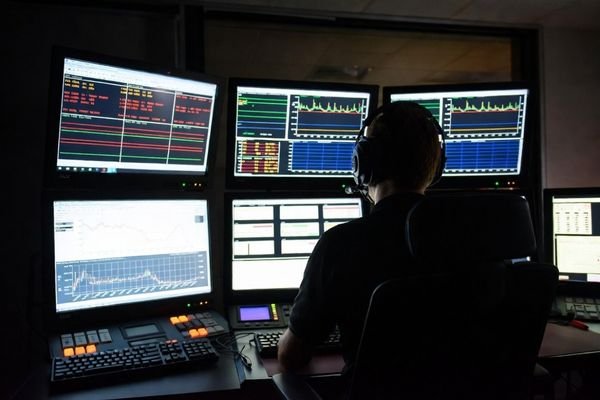
In practical engineering work, control-room display issues are often not immediate failures. They are gradual degradations that reduce usability over time. A display may continue to function electrically while brightness drifts, color tone shifts, or contrast consistency degrades across a console or wall. In a control-room environment, these changes affect operator performance directly because the display is part of an ongoing monitoring process rather than a short-duration visual device.
The Demand for 24/7 Operational Reliability
Control-room displays are often expected to operate continuously. This places higher stress on the backlight system, thermal behavior, power stability, and long-term material consistency. The LCD module should therefore be suitable for extended duty, with stable backlight life, controlled thermal behavior, and electronic design appropriate for long-duration operation.
In this type of system, failure is not just a maintenance event. It can interrupt monitoring continuity, create visual inconsistency across installed screens, and increase operational risk. For that reason, continuous-duty suitability should be treated as a core selection requirement.
The Importance of Human Factors and Visual Stability2
Control-room operators often spend many hours looking at dashboards, alarm windows, trend curves, video feeds, and status panels. Readability must therefore remain stable over long sessions. Excessive brightness in a dim room can increase fatigue. Weak viewing-angle performance can distort colors or reduce contrast when an operator shifts position. In a multi-screen environment, lack of consistency between modules can also reduce speed of interpretation.
Wide viewing angle is critical because operators do not always view the screen from a fixed position. Control-room selection should therefore include not only image quality on axis, but also off-axis stability, long-term consistency, and user comfort in real operating conditions.
Which Display Parameters Matter Most in a Control-Room Environment?
In control-room systems, the most important parameters are the ones that support sustained readability and stable system behavior rather than headline specifications alone.
The key display parameters for control-room applications are resolution density, wide and stable viewing angles, suitable and adjustable brightness, good contrast, color uniformity, interface compatibility, and long-term performance stability. These factors matter more to operator effectiveness than maximum brightness or maximum size by themselves.
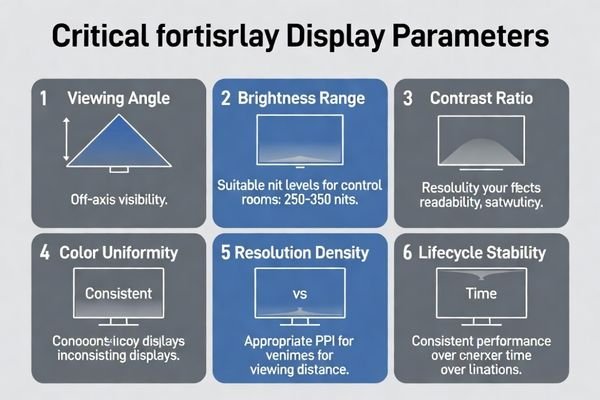
In many projects, a common mistake is to prioritize the highest value in one category instead of selecting a balanced module. For example, extremely high brightness may look attractive on paper, but it can become uncomfortable in a dim control-room environment. Likewise, very high resolution can create usability problems if text and interface elements become too small at the actual viewing distance.
In control-room systems, readability and consistency usually matter more than peak display specifications. Engineers should focus on how the display performs in the real monitoring context.
Resolution density matters because the module must support legible text, clear symbols, and usable trend lines at the actual viewing distance. Viewing angle matters because operators often read displays from the side or across adjacent consoles. Brightness matters, but it should be matched to room lighting rather than maximized blindly. Color uniformity3 and contrast stability are also critical because monitoring systems frequently rely on status colors, grayscale differentiation, and multi-screen visual consistency.
A control-room LCD module should therefore be chosen for its balanced usability in the installed system, not for the highest single specification.
How Should Engineers Evaluate Readability, Viewing Distance, and Screen Layout?
Readability is not defined by the display alone. It is determined by the relationship between the module, the content, the viewing distance, and the physical layout of the monitoring system.
Engineers should evaluate readability by using real UI content, real viewing distance, and actual operator positions. The display should be tested to confirm that text, symbols, trend lines, and color-coded information remain legible and stable without causing visual strain.
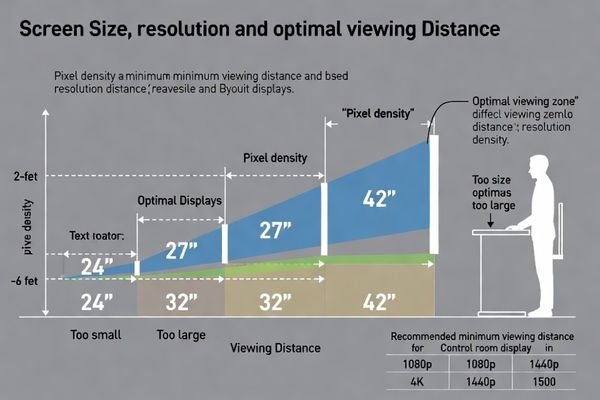
In real projects, datasheet review alone is not enough. A module that seems acceptable on paper may not perform well when used for dense dashboards, tiled monitoring screens, or close-range operator consoles. The correct method is to validate the actual content and layout in conditions that reflect the final control-room use case.
| Evaluation Factor | Key Questions for Engineers | Practical Test Method |
|---|---|---|
| Content & Pixel Density4 | Is the smallest critical text readable? Are fine trend lines and symbols clearly visible at the intended distance? | Display real UI mockups and verify that the smallest required visual elements remain legible from the farthest relevant operator position. |
| Viewing Angle | Does contrast or color shift when viewed off-axis? Are alarms and status colors still clear from side positions? | Display grayscale ramps and color status screens, then observe the module from different horizontal and vertical angles. |
| Screen Layout & Tiling | Does the layout work across multiple adjacent displays? Are bezels, brightness, and color differences acceptable? | Place modules side by side and display uniform images and real layouts to check consistency, alignment, and usability across the screen group. |
This evaluation helps answer the real engineering question: not whether the module looks good in isolation, but whether it remains usable in the actual physical and operational layout of the control room. A hands-on readability check is especially important when selecting modules for overview dashboards, operator consoles, or multi-screen monitoring walls.
What Reliability and Integration Risks Should Be Checked Before Final Selection?
In control-room systems, visual suitability alone is not enough. Long-term reliability and integration risk can determine whether the installed display system remains maintainable and consistent over many years.
Before final selection, engineers should check the module’s continuous operating suitability, backlight lifetime, thermal behavior, interface stability, long-term availability, and replacement consistency. These factors directly affect maintenance cost, downtime risk, and long-term operational integrity.
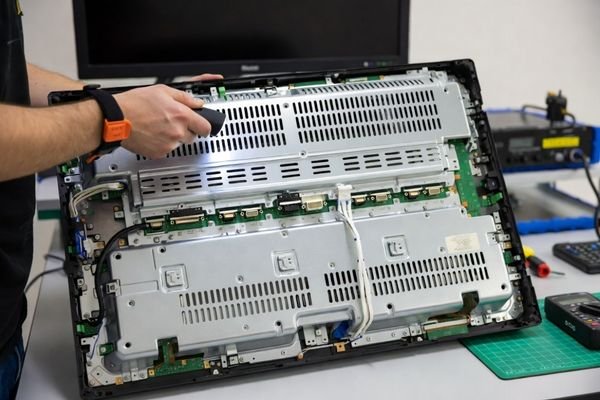
A display that performs well during initial testing may still become a long-term problem if reliability and lifecycle risks are ignored. This is especially true in control-room systems, where displays are often installed in enclosed consoles, expected to operate continuously, and kept in service for many years.
Long-Term Operational Risks
The first group of risks relates to continuous use. Engineers should confirm whether the LCD module is suitable for 24/7 operation, whether the backlight life aligns with the target service life, and whether thermal behavior remains stable inside the enclosure. Long-term brightness drift, color instability, and backlight degradation are common problems when a module is selected without sufficient attention to continuous-duty performance.
Lifecycle consistency is essential because control-room systems often remain in service for many years. If later replacement modules differ visibly in brightness, color tone, or optical behavior, the result can be operational inconsistency across the system.
Integration and Lifecycle Risks
The second group of risks concerns system integration. The signal interface should match the host platform as directly as possible. Introducing multiple adapters or unstable conversion steps increases the chance of long-term failure. Power requirements, EMI tolerance, mounting constraints, service access, and batch-to-batch consistency should also be reviewed.
Lifecycle planning should be treated as a core selection criterion, not a procurement afterthought. Engineers should ask whether the module has a stable supply horizon, whether compatible future replacements can be maintained, and whether the supplier can support consistency across service cycles. If you need help reviewing long-term reliability5 and integration risks for a control-room project, our technical team can support that process at info@lcdmodulepro.com.
What Is the Best Selection Strategy for Control-Room LCD Display Modules?
The best selection strategy is not to rank displays by raw specifications. It is to match the module to the actual monitoring role, then validate it against readability, reliability, and lifecycle requirements.
The most effective strategy is to define the screen’s role first, then evaluate readability, brightness, viewing angle, integration, and lifecycle support according to that role. The best control-room LCD module is the one that delivers stable usability over time, not the one with the most aggressive headline specifications.
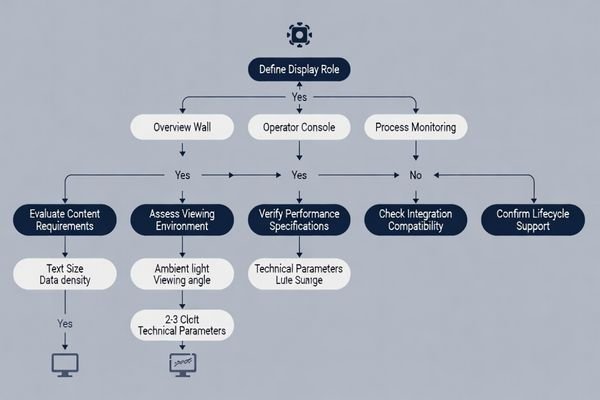
A practical engineering strategy usually follows this sequence:
-
Define the Display Role
Identify whether the module is for a central overview wall, an operator console, an alarm panel, or a dedicated video window. Each role has different priorities for size, resolution density, brightness range, and viewing-angle behavior. -
Evaluate Real Readability Requirements
Review actual UI content, text size, icon density, and viewing distance. Confirm that the module supports legibility and low operator fatigue in the real control-room environment. -
Verify Visual Stability and Consistency
Check off-axis behavior, color uniformity, contrast stability, and consistency across multiple installed screens. In control-room systems, these factors are often more important than peak paper specifications. -
Review Reliability and Integration Margin
Confirm 24/7 suitability, backlight life, thermal behavior, interface compatibility, power requirements, and enclosure fit. A module that fits electrically and mechanically with margin is usually a better choice than one that requires fragile adaptation. -
Plan for Lifecycle and Service Continuity6
Verify long-term availability, replacement compatibility, and expected visual consistency across future service batches. This step is essential for systems expected to remain in operation for many years.
This role-based sequence is much more reliable than choosing a generic “good screen” and trying to force it into every function. The right way to choose control-room LCD modules is to match display role, readability, reliability, and lifecycle support together.
FAQ
What is the most important factor when choosing an LCD module for a control room?
The most important factor is practical readability over long operating periods, including the right balance of resolution, viewing angle, brightness, and reliability for the real environment.
Is higher brightness always better for monitoring systems?
No. Excessive brightness can reduce usability in dim control-room environments and increase operator fatigue. Brightness should match the room lighting and application requirements.
Should engineers focus more on resolution or screen size?
They should evaluate both together. The correct choice depends on content density, viewing distance, and UI scaling rather than on size or resolution in isolation.
What integration issue is most often overlooked in control-room projects?
Lifecycle consistency is often overlooked, including interface stability, replacement compatibility, and maintaining similar visual behavior across multiple installed screens.
Why is lifecycle planning important for control-room LCD modules?
Because control-room systems often remain in service for many years, and poor lifecycle planning can create mismatch, maintenance difficulty, and operational inconsistency after replacement.
Conclusion
Choosing LCD display modules for control-room monitoring systems requires a system-level engineering approach. The correct selection is not based on consumer-style specifications alone, but on matching the display role with long-term readability, visual stability, integration margin, and lifecycle support.
At LCD Module Pro, we recommend that engineers evaluate control-room LCD modules according to real viewing distance, real content density, room lighting, 24/7 operating demands, and long-term replacement requirements. When readability, reliability, consistency, and lifecycle planning are assessed together, the result is a monitoring system that performs well not only during initial validation, but throughout its full operational life.
✉️ info@lcdmodulepro.com
🌐 https://lcdmodulepro.com/
-
Understanding brightness drift is crucial for ensuring long-term display performance and operator comfort in control-room systems. ↩
-
This resource will provide insights into the impact of human factors on display usability and operator performance. ↩
-
Exploring color uniformity helps in maintaining visual consistency and effective monitoring in control-room environments. ↩
-
Understanding content and pixel density is crucial for ensuring readability and usability in control room displays. ↩
-
Understanding best practices for long-term reliability can help prevent future operational issues in control-room systems. ↩
-
Exploring lifecycle and service continuity strategies helps maintain operational efficiency and reduces downtime in critical environments. ↩