
Selecting the right LCD module for smart home control panels requires balancing aesthetic appeal with practical usability. A display that looks stunning in CAD renders can disappoint in real homes if daily interaction patterns and environmental factors aren’t carefully considered. To avoid late rework, start by writing down measurable inputs such as mounting style (wall vs. tabletop), typical viewing distance, always-on/night viewing needs, cover glass + touch stack plan, cleaning frequency, ambient light range (windows/spotlights), power and temperature-rise limits, and your target end-of-life (EOL) experience.
The ideal smart home display solution must excel in four key areas: it needs the right size and form factor for intuitive touch control, optical clarity that maintains premium feel, reliable system integration that prevents field issues, and consistent performance throughout years of daily use.
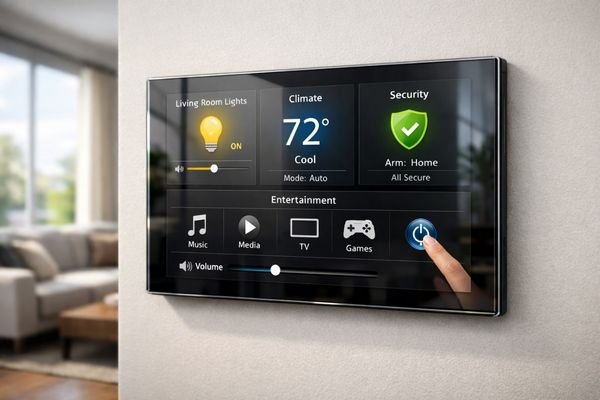
In real home deployments, display decisions1 quickly cascade into front panel proportions, cover glass selection, touch feel, cable routing, EMI coupling from radios and power rails, and long-term serviceability. The display isn’t just showing information—it’s becoming a permanent part of the home’s aesthetic while handling frequent touch interactions and maintaining readability across varying lighting conditions. The safest approach is to validate early with a representative prototype that includes the real optical stack and the real internal electronics layout, not just the bare panel on a bench.
Where Should You Start Defining Display Requirements for Smart Home Control Panels?
Before comparing specifications, you need to clearly define how your control panel will function within the home environment.
Smart home display selection must begin with three fundamental definitions: the panel’s primary role (central hub vs. room controller), its core interactions (scenes, climate, security, intercom), and its environmental requirements (always-on operation, night viewing, cleaning durability).
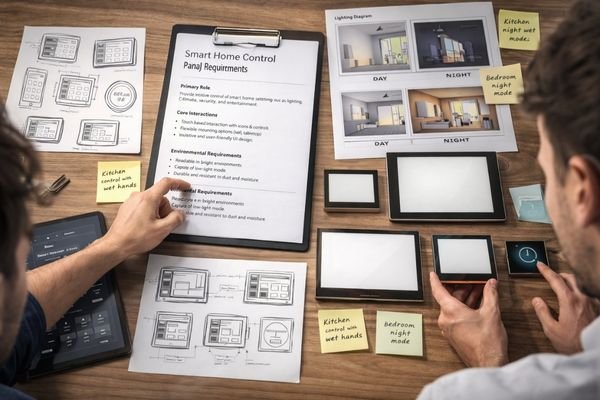
Getting these fundamentals right shapes every subsequent decision. Let me explain the critical aspects: start by listing the panel’s “top tasks” and the conditions they must work in (day glare, night dim viewing, wet fingers, frequent cleaning). If the panel will be installed near windows or under spotlights, plan reflection control2 and verify readability through the real cover glass early—if you wait until after the enclosure is frozen, optical surprises become expensive.
Usage Pattern Analysis
Your panel’s role determines core requirements. Central hubs need larger displays for rich information, while room controllers can prioritize quick access to frequent functions. Central hubs also commonly show more persistent content (multiple room cards, alerts, camera/doorbell prompts, and status summaries), which raises the bar for information hierarchy and touch usability; room controllers often emphasize fast, repeatable actions (lights, scenes, thermostat changes) where consistent touch response matters more than information density. If your UI relies on always-on or glanceable status, then power budget, thermal margin, and dimming strategy must be defined alongside the display—not after UI decisions are locked.
Environmental Requirements
Consider real home conditions: viewing angles for wall mounting, ambient light variation, cleaning frequency, and temperature fluctuations near windows or HVAC vents. In practice, the biggest “indoor” threats are often glare from cover glass, fingerprints/oil, cleaning residue, wet hands, and night-time comfort (too bright feels harsh). If the panel is placed in a high-glare location, prioritize reflection control and contrast over chasing higher resolution; if night viewing is important, prioritize low-brightness stability and smooth dimming so the display remains readable without being distracting.
How Do You Choose Size and Form Factor to Improve Both UI and Industrial Design?
Display size and shape must support both intuitive control and attractive aesthetics.
The optimal display format for smart home panels balances three key factors: it must provide comfortable touch targets for daily interaction, support clear information hierarchy without cluttering the interface, and enhance your product’s design language while remaining practical to manufacture.
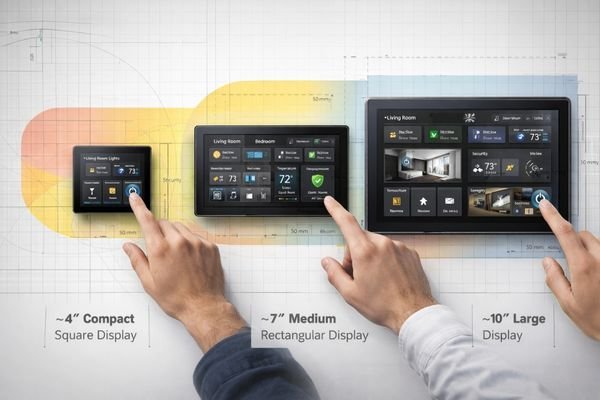
Close-range touch interaction creates unique requirements that affect both user experience and mechanical design: if touch targets are too small, mis-touches rise; if the panel is oversized, cost, power, and mechanical complexity increase. A practical rule is: if the panel is a central hub with multi-room cards, choose a size/form factor that preserves clear hierarchy without forcing tiny touch targets; if it’s a room controller, favor a simpler layout with comfortably sized, repeatable actions. Also consider how the form factor reinforces your UI patterns—square layouts support lists and card grids, while round formats can elevate dial-like HVAC interactions.
Interface Layout Optimization
Too small creates cramped controls and mis-touches, while too large increases cost and complexity. Focus on natural finger-sized touch targets and clear visual hierarchy3. If the panel will be used quickly (walk-by interactions), keep primary actions prominent and avoid small, low-contrast controls; if the panel will be used at night, ensure critical information remains readable at low brightness without forcing users to raise brightness.
Industrial Design Integration
The display stack influences perceived quality—active area alignment, bezel design, and surface treatments must work together to create a premium look while supporting reliable assembly. If you use cover glass, verify that bezel overlap and black mask design do not unintentionally clip UI elements or reduce perceived screen size. If your industrial design pushes for minimal bezels or extreme thinness, confirm connector clearance, cable bend radius, and assembly tolerances early so manufacturability and serviceability are not sacrificed for appearance.
How Should You Choose Touch and Cover Glass for Feel, Clarity, and Reliability?
The complete optical and touch stack defines user experience more than the LCD alone.
Success in smart home panels requires optimizing three aspects of the touch and cover stack: optical clarity must maintain premium feel, touch response must remain consistent despite environmental variations, and the complete assembly must withstand years of daily interaction and cleaning.
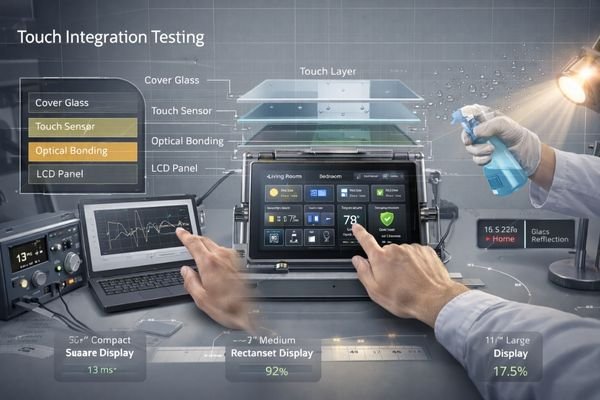
Let’s examine the key decision points:
- Cover glass thickness and treatment options
- Touch sensor technology and tuning
- Optical bonding approach4
- Edge finishing and black mask design
- Long-term durability considerations
Each choice affects both initial quality perception and sustained reliability. A practical rule is: if the panel is installed near windows/spotlights, prioritize reflection control and stack validation (cover + touch + LCD) before increasing brightness; if the panel must support frequent cleaning and wet fingers, prioritize stable touch tuning and surface choices that maintain consistent feel over time. Validate with real-life interactions (wet hands, cleaning residue, different finger sizes) using the final cover glass geometry and masking—edge behavior and perceived responsiveness often change once the full stack is assembled.
What Should You Check for Interface and System Compatibility to Avoid Production Risks?
System integration issues often emerge only after design freeze, creating costly delays.
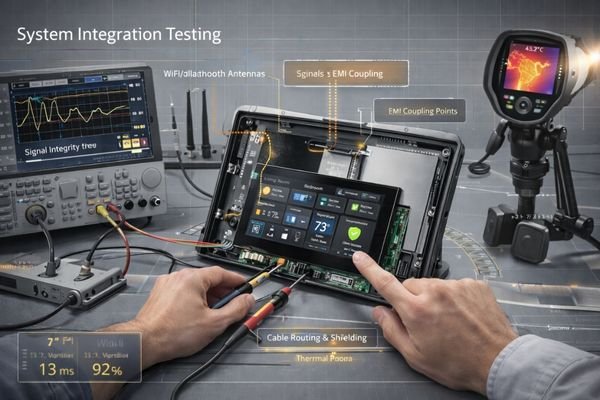
Reliable display integration in smart home panels requires validating three key areas: signal integrity must remain stable with real cable routing and EMI sources, power management must support your operating patterns, and the complete assembly must maintain performance across temperature and humidity variations.
Signal Path Design
Smart home panels often integrate multiple wireless technologies. Interface selection must account for internal EMI sources, grounding schemes, and reliable wake-from-sleep behavior. If your design includes Wi-Fi/BT radios and switching power supplies in a tight enclosure, assume the risk of coupling is real—test with realistic cable routing, grounding, and radio activity (transmit bursts) to catch flicker, artifacts, or intermittent wake issues before tooling. If the harness length or routing is constrained, define routing rules early (separation, shielding, grounding) so the mechanical design supports stable signal behavior.
System Architecture Planning
Consider how display subsystem choices affect power consumption5, heat generation, and long-term reliability in always-on operation. Always-on or frequent wake patterns make power sequencing and initialization robustness critical; if you rely on sleep states, verify wake timing and display re-init behavior across voltage and temperature variation. If the system runs warm, confirm that backlight and internal components remain within safe limits at your normal brightness profile—power and thermal design are not optional “later” steps when the display is a daily-use interface.
Recommended MEIDAYINGNUO Models for Smart Home Control Panels
Our experience with smart home manufacturers has helped identify display solutions that consistently meet both aesthetic and functional requirements.
We specialize in helping customers validate complete display solutions against real-world home installation scenarios.
| Application | Usage Pattern | Design Requirements | Recommended Model | Integration Notes |
|---|---|---|---|---|
| Central Hub | Rich Information | Large Touch Interface | SQ332S | Stack Optimization |
| Room Controller | Quick Access | Compact Square | SQ220S | Touch Tuning |
| Climate Control | Dial Interface | Round Format | RD157H | Bezel Design |
| Status Display | Always Visible | Ultra-wide Bar | BU156X | Power Management |
| Window Location | High Ambient | High Ambient Light Tolerance | HB185X | Reflection Control Needed |
Treat these model picks as a shortlist rather than a drop-in guarantee. Final selection should be confirmed against your optical stack (touch/cover), target brightness profile (including night dimming), power/thermal limits, cable routing, and wake-from-sleep stability testing in the fully assembled product.
FAQ
Which display form factor works best for smart home interfaces?
Square formats suit card-based UIs and device lists, while round displays enhance dial-like controls. Choose based on your primary interface patterns.
How important is display brightness for indoor panels?
Standard brightness usually suffices, but locations near windows or under spotlights may need higher brightness plus effective reflection control.
What affects touch response reliability?
Cover glass design, sensor tuning, and environmental factors all impact touch performance. Validate with realistic use cases including wet fingers and cleaning.
How do you ensure consistent wake-from-sleep behavior?
Test with real power sequencing, interface timing, and EMI conditions. Power management and display initialization must be robust.
What defines premium feel in smart home displays?
Optical clarity, touch responsiveness, and build quality all contribute. Focus on reducing reflections, optimizing touch response, and maintaining tight manufacturing tolerances.
Conclusion
Selecting the right LCD module for smart home control panels requires careful balance of aesthetics, usability, and reliability. By validating your complete display stack against real home conditions early in development, you can deliver a premium user experience that maintains consistency throughout years of daily use.
MEIDAYINGNUO specializes in display solutions engineered for smart home applications. Our team can help validate your complete display integration strategy against real-world requirements. For detailed discussion of your control panel specifications, please contact our engineering team.
✉️ 961531917@qq.com
🌐 https://lcdmodulepro.com
-
Understanding display decisions can enhance your design process, ensuring functionality and aesthetics in home technology. ↩
-
Exploring reflection control techniques can enhance visibility and usability in bright environments. ↩
-
Exploring visual hierarchy can help you create more intuitive and effective user interfaces. ↩
-
Exploring optical bonding can enhance display performance by improving durability and visual clarity, making it essential for high-quality panels. ↩
-
This link will provide insights into managing power consumption, crucial for enhancing efficiency and longevity in smart home systems. ↩