
Color tint issues in LCD modules require systematic troubleshooting to isolate backlight, signal format, calibration, or panel drive parameter problems.
Reddish or greenish tints in LCD display modules are usually color-balance errors—most often caused by backlight spectrum/thermal drift, interface format mapping mismatches, or gamma/VCOM and calibration problems. The fastest way to triage is to see what the tint “tracks”: if it changes with brightness/temperature, suspect backlight/optics; if it changes with pixel format settings, suspect signal mapping; if it changes across grayscale levels or after sleep/wake, suspect calibration and panel drive parameters. Use controlled test patterns, fixed measurement conditions, and one-variable-at-a-time changes to convert subjective complaints into measurable white-point and grayscale evidence.
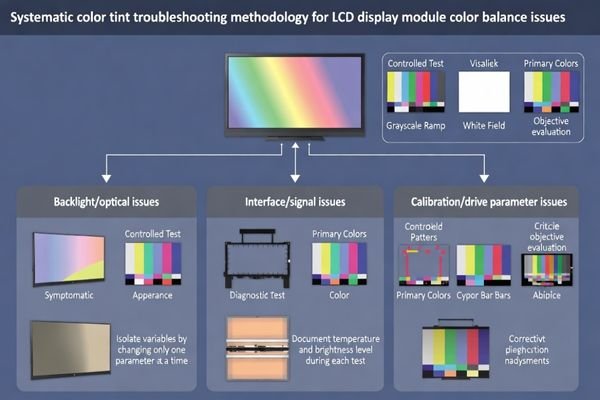
In LCD display module integration, tint complaints often look similar to the eye but come from different layers of the signal and drive chain. Treat tint as a measurable deviation (white point and grayscale neutrality), and always log the exact state when it happens: brightness level, temperature/warm-up, interface format settings, and whether the system just booted or woke from sleep. Common mistakes are adjusting backlight without disabling automatic brightness/color features, judging only a pure-white screen without checking grays, or changing multiple variables at once and losing causality. The goal is quick isolation: determine whether the root cause is backlight/optical behavior1, format mapping, or calibration/drive parameters.
What does a reddish or greenish tint indicate in an LCD display module?
Color tints typically represent color balance errors with multiple possible origins requiring systematic symptom classification for accurate diagnosis.
Reddish or greenish appearance usually indicates color balance error rather than single-color panel fault, potentially originating from multiple layers including backlight spectral shift, panel gamma or VCOM bias, source driver or timing controller configuration, interface color depth or format mismatch, or host-side color processing. Reliable diagnosis requires symptom classification including whether tint appears uniform or patchy, changes with temperature or brightness, affects grayscale and skin tones equally, and appears only on certain content or after wake-up states.
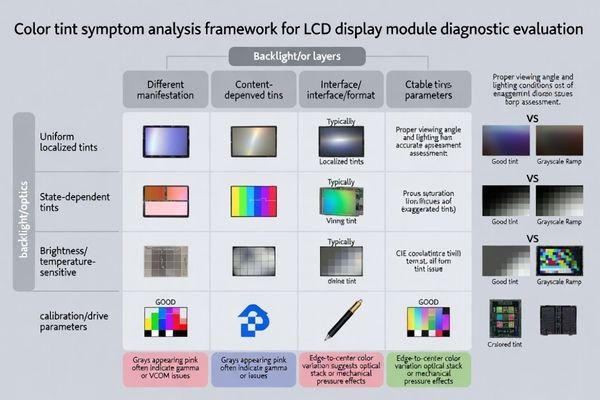
Treat a tint as a system-level color balance issue and classify it before changing anything. First check if the tint is uniform across the whole screen or localized (edges/corners or patches), then check whether it appears on a grayscale ramp2 (neutral grays turning pink/green is a key clue). Next, note whether it depends on content (some images look fine, others look wrong) or state (only after wake-up or only after warm-up). This classification quickly narrows where to investigate: optics/backlight and thermal behavior, signal format mapping, or calibration and panel drive settings.
Color Balance System Analysis
Color on an LCD module is the combined result of backlight spectrum, optical stack behavior, panel drive characteristics, and host-side processing and mapping. A shift in any layer can bias the white point and make grays non-neutral. Some failures change slowly with heat, while others flip instantly with a configuration state change. Viewing angle and reflections can also exaggerate perceived tint, so keep viewing geometry consistent when you compare results.
Diagnostic Symptom Classification
Use a simple decision approach: does the tint track brightness/temperature, track format settings, or track grayscale level/state transitions? Record whether the shift is global or localized, whether primaries look “wrong,” and whether mid-grays are more affected than whites. Capture the operating state: brightness command, warm-up time, ambient temperature, and recent transitions (boot, sleep/wake). With these notes, you can choose the next test instead of guessing.
Is the tint caused by backlight spectrum, diffuser stack, or thermal drift?
Backlight-related color issues often correlate with brightness levels, temperature changes, and thermal operating conditions affecting spectrum consistency.
Backlight-driven tint issues often correlate with brightness level and temperature because LED spectral output and phosphor behavior shift as current and junction temperature change, while optical stack alignment can introduce non-uniform color shading across the screen. Practical diagnosis compares tint at cold start versus steady-state and at low versus high brightness while observing whether shifts appear uniform or show edge and corner gradients, particularly when modules use closed-loop brightness or thermal derating affecting backlight operating points.
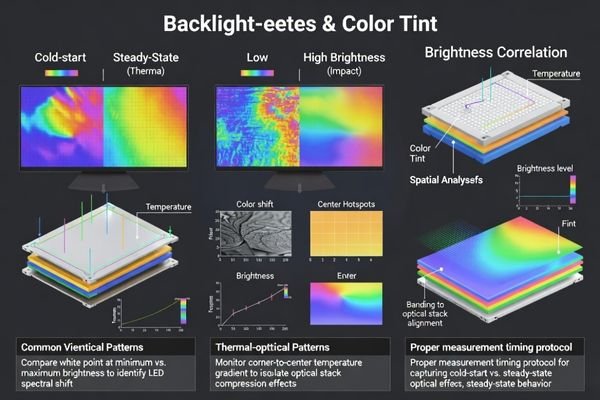
If the tint changes as you adjust brightness or as the unit warms up, suspect the backlight and optical stack3 first. Compare cold start vs steady-state, and low vs high brightness, using the same test pattern and the same viewing angle. Look for spatial signatures: edge/corner gradients and banding often point to optical stack alignment or mechanical pressure effects, while a uniform shift that follows temperature can indicate spectral drift or thermal derating behavior. If auto-brightness, thermal protection, or closed-loop dimming is active, disable it for baseline testing or document its behavior, because it can change the backlight operating point and mimic a “mysterious” white-balance problem.
Could interface format, color depth, or timing settings be mapping colors incorrectly?
Interface configuration mismatches can create significant color tints even when hardware components function correctly.
Format mismatches can create strong tints even when hardware operates correctly, particularly when hosts output different color order, pixel format, or color depth than modules expect, causing channels to be swapped, truncated, or interpreted with wrong scaling. Typical symptoms include consistent global tint across all content, incorrect grayscale neutrality, and wrong-looking primary colors rather than subtle white-point drift, requiring verification that interface configuration matches module requirements end-to-end including RGB channel order, bit depth, dithering behavior, data lane mapping, and limited or full range assumptions.
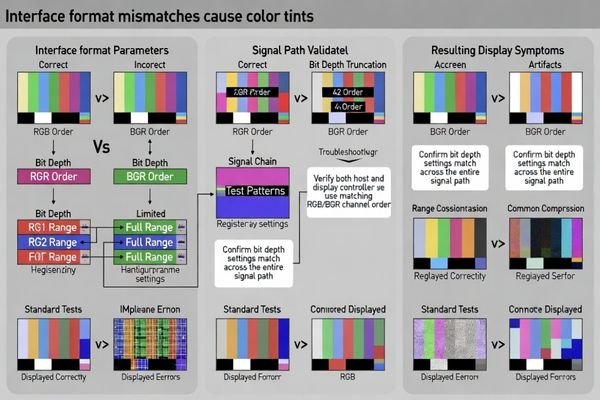
If the tint is strong, global, and present on every pattern, a mapping mismatch4 is a prime suspect. Use known-good patterns (RGB primaries, grayscale ramp, color bars) and verify the end-to-end assumptions: channel order, pixel format, and bit depth settings on the host and any intermediate processing blocks. A classic sign is “primaries look wrong” (for example, red looks orange or green looks washed) or grays show a consistent cast at all levels. If changing a single format setting predictably changes the tint direction or severity, focus on configuration and mapping rather than backlight hardware.
| Interface Parameter | Common Mismatch | Tint Symptoms |
|---|---|---|
| RGB Channel Order | Red/Blue swap | Consistent global color shift |
| Bit Depth | Truncation or padding | Banding with color cast |
| Color Range | Limited vs full range | Contrast and color accuracy issues |
| Data Lane Mapping | Incorrect assignment | Channel swapping or corruption |
Format troubleshooting should systematically verify each configuration layer because multiple mismatches can compound to create complex color balance problems requiring comprehensive validation.
Are gamma, white point calibration, or panel drive parameters (like VCOM) out of range?
Panel drive parameters and calibration settings significantly impact tone reproduction and can manifest as color tints or grayscale balance issues.
Panel drive parameters and calibration tables can shift entire tone reproduction, potentially presenting as reddish or greenish cast, crushed shadows, or colored grays. Programmable gamma or factory calibration data corruption, incorrect loading at boot, or using tables intended for different panel variants can move white point and mid-gray neutrality, while VCOM or bias-related issues can interact with temperature and refresh behavior, making tint appear after warm-up, after sleep and wake cycles, or only at certain brightness levels.
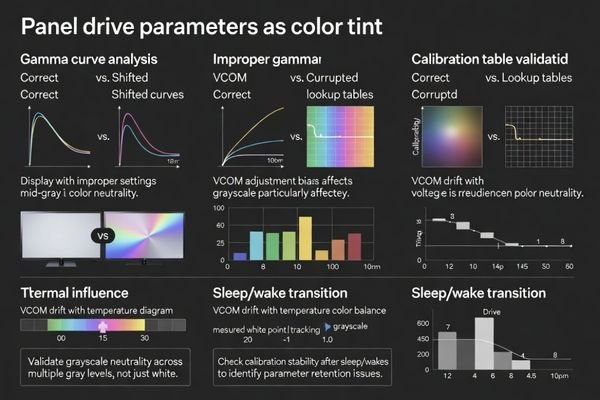
If the tint is not uniform across grayscale—such as whites looking acceptable but mid-grays turning greenish—or if the issue appears after sleep/wake, suspect calibration and drive parameters. Verify that the correct calibration tables5 are loaded deterministically at boot and after state transitions, and that they match the actual panel variant used in the module. Bias and VCOM-related behavior can be temperature-sensitive, so test at controlled conditions and repeat after warm-up to see if the shift is stateful or thermal. For comprehensive calibration analysis and drive parameter optimization during complex color troubleshooting requiring expert diagnostic support, engineering teams can contact info@lcdmodulepro.com when systematic color validation requires specialized measurement and calibration expertise.
Calibration Parameter Validation
Confirm that gamma and white-point related tables are correct for the panel variant and are applied consistently every time. Check for corruption, wrong version loading, or a failure to restore settings after sleep/wake. Validate with a grayscale ramp and several fixed gray levels, not only full white, because mid-tones often reveal calibration errors first. Log the exact firmware/software state and configuration values when the tint appears.
Drive Parameter Optimization
Panel bias parameters can change tone reproduction and interact with temperature and refresh behavior. Validate color neutrality across operating conditions, including after warm-up and after state transitions, to ensure settings remain stable. If adjustments are made, change one parameter at a time and re-check grays and primaries to avoid masking the true cause. Keep acceptance criteria tied to measurable outcomes, not “looks better.”
What troubleshooting workflow prevents repeated tint issues and when should you customize?
Systematic troubleshooting workflows enable efficient problem resolution while customization addresses recurring issues requiring specialized optimization.
Effective troubleshooting starts with controlled, repeatable checks using known test patterns including grayscale ramps and RGB primaries, locked brightness with disabled auto-dimming features, then comparing behavior across cold and steady-state conditions and after sleep and wake cycles to determine whether tint tracks backlight conditions, configuration states, or grayscale levels. Next, isolate layers by changing one variable at a time including signal format settings, calibration tables, power and backlight operating points, and mechanical assembly factors while documenting white-point shift and uniformity changes across the screen.
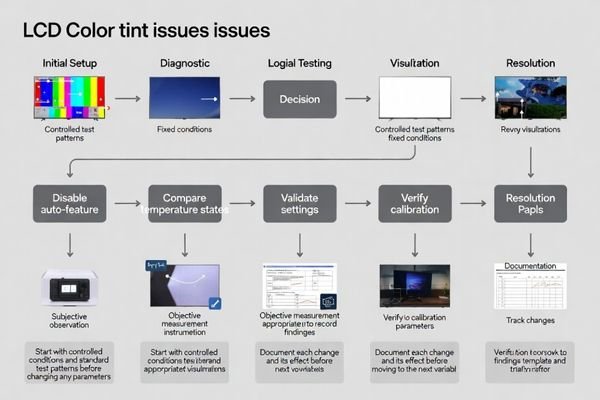
A “no-regrets” workflow is: lock conditions, run standard patterns, then isolate with single-variable changes. First disable automatic brightness/color features and set a fixed brightness, then run grayscale ramps and RGB primaries at a consistent viewing angle. Compare cold vs steady-state and test after sleep/wake to see what the tint tracks, then change only one variable per step (format setting, calibration table, brightness/thermal state, or mechanical influence) while recording white-point shift and whether the tint is uniform or localized. Customization becomes the robust option when the product must remain stable across wide temperatures, long run times, or strict batch-to-batch consistency, because it allows optics and backlight strategy to be aligned to the environment, drive parameters and calibration to be tuned for the exact panel variant, and acceptance criteria to be defined so color does not regress in production.
Color Tint Troubleshooting Implementation Framework:
- Initial Diagnostic Phase: Use controlled test patterns including full-screen gray ramps and RGB primary colors, disable automatic brightness and color adjustment features during testing, document baseline measurements including white point coordinates and grayscale neutrality, establish repeatable measurement conditions including ambient lighting and viewing geometry
- Variable Isolation Testing: Test cold start versus thermal steady-state behavior to identify temperature-dependent issues, compare brightness level effects on color balance and tint uniformity, validate sleep and wake state transitions for calibration consistency, verify signal format configuration including color order, bit depth, and range settings
- Root Cause Analysis6: Correlate tint behavior with backlight operating conditions versus image content dependency, analyze gamma curve and calibration table accuracy against panel specifications, evaluate mechanical assembly and optical stack alignment effects on color uniformity, assess interface timing and signal integrity impact on color accuracy
- Customization Decision Framework: Consider customization when wide temperature stability requirements exceed standard module capabilities, when strict batch consistency demands exceed normal production variation tolerances, when glare or thermal constraints make standard optics and default calibration insufficient, when validation and acceptance criteria require systematic optimization beyond standard module specifications
FAQ
How can I quickly tell if the tint is backlight-related or signal-related?
Check whether the tint changes with brightness level or temperature (often backlight/optics) versus changing with pixel format settings or appearing only after a specific software state (often signal/pipeline).
Why does the display look normal on some images but tinted on others?
Content-dependent tint often points to gamma/white-point calibration issues or host color processing, where mid-gray and skin tones reveal errors more clearly than saturated colors.
Can sleep/wake trigger a reddish or greenish cast?
Yes—if calibration tables, format settings, or backlight control states are not restored deterministically, the module can resume in a different color balance state.
Does PWM dimming affect perceived tint?
It can indirectly—dimming changes LED current/temperature, and some systems alter processing or calibration by brightness state, which can shift white balance.
What measurements help document a tint problem for engineering review?
Record white-point coordinates, grayscale neutrality at several levels, uniformity observations across the screen, and the exact conditions (brightness, temperature, format, and state transitions).
When should I consider customization to fix recurring tint issues?
When the product needs wide-temperature stability, strict batch consistency, or glare/thermal constraints that make standard optics and default calibration too marginal.
Conclusion
Reddish or greenish tint issues require systematic troubleshooting treating color as a measurable system parameter with isolation of backlight conditions, signal format mapping, and calibration and panel drive parameter effects on color balance. Effective resolution depends on controlled test patterns, fixed measurement conditions, and one-variable-at-a-time analysis moving from subjective visual complaints to quantitative white-point and grayscale evidence identifying the correct problem layer. Successful troubleshooting workflows establish repeatable diagnostic procedures preventing recurring color issues through comprehensive validation and documentation.
MEIDAYINGNUO provides specialized color troubleshooting and optimization services for LCD display modules requiring systematic diagnostic support, calibration parameter tuning, and custom color consistency solutions across demanding industrial and commercial applications. Our engineering team offers comprehensive color analysis including white point measurement, gamma curve validation, backlight spectrum optimization, and custom calibration development ensuring consistent color performance throughout complex deployment scenarios requiring precise visual accuracy and long-term stability. Contact our technical specialists when color tint issues require expert diagnostic analysis and systematic optimization for reliable color consistency.
✉️ info@lcdmodulepro.com
🌐 https://lcdmodulepro.com/
-
Exploring this topic will provide insights into optimizing display performance and achieving better visual results. ↩
-
A grayscale ramp is essential for identifying tint problems, as it reveals color shifts in neutral grays. ↩
-
Understanding the optical stack is crucial for diagnosing display issues, as it directly affects image quality and performance. ↩
-
Understanding mapping mismatches can help you troubleshoot color issues effectively. ↩
-
Understanding calibration tables is crucial for ensuring accurate color representation in displays. Explore this link for expert insights. ↩
-
Understanding Root Cause Analysis can enhance your calibration processes, ensuring better color accuracy and performance. ↩