
Warehouse picking terminals require specialized LCD module selection prioritizing readability during movement, glare resistance, and durability through frequent handling and environmental stress.
Choose modules that stay readable while moving (distance, angle, glare), survive handling (drops, dust, temperature), and remain stable through sleep/wake, power transients, and EMI. Prioritize glare control, off-axis contrast, robust mounting/strain relief, and lifecycle consistency for fleet replacement.
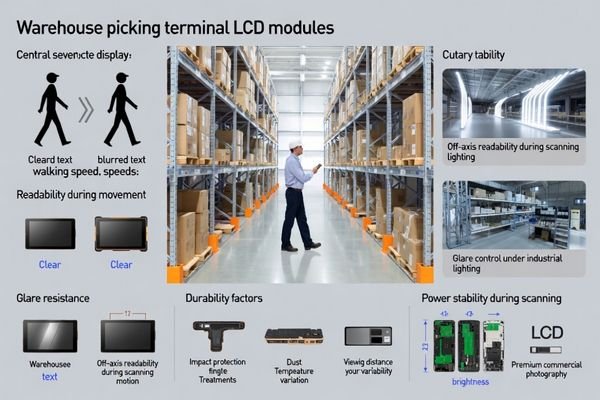
Warehouse picking environments combine constant movement, mixed lighting, and operational urgency—so display issues quickly become productivity issues. The most common selection failures come from optimizing the wrong thing: choosing pixel density over glance legibility1, choosing brightness without glare control, or ignoring reliability risks caused by charging events, radio transmit peaks, connectors under shock, and frequent human contact ESD. The right approach is to start from the workflow, translate it into measurable requirements, and validate in representative aisles and dock areas rather than relying on laboratory viewing conditions.
What makes warehouse picking terminals a unique LCD display module use case?
Warehouse picking terminals are mobile, glare-heavy, and handling-intensive, so module selection must prioritize consistent readability and rugged integration.
Picking terminals are used while walking and scanning, so modules must remain legible at changing angles and mixed light, and tolerate drops, vibration, dust, moisture, and temperature shifts. Frequent sleep/wake and power events also demand predictable initialization and stable backlight behavior.
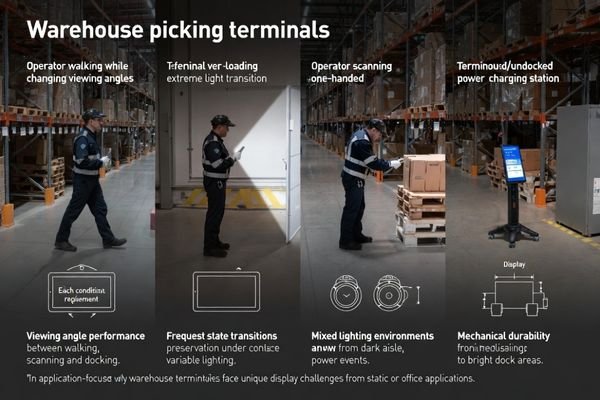
From an engineering standpoint, the key difference is that warehouses create many “state changes2”: walking and scanning, docking and undocking, charging, radio transmit bursts, and temperature zone transitions. That means selection is not only about how the screen looks in one static pose, but how it behaves through shocks, resets, and glare at off-axis angles. Fleet deployment adds another layer: replacements must match readability and optics across batches, so controlled specifications and lifecycle planning matter more than one-off “best sample” performance.
Mobile Operation Challenges
Movement turns small readability weaknesses into errors: operators glance quickly, rarely view the screen straight-on, and often interact one-handed. Screen legibility must hold up during walking, cart mounting, and scanner use, with stable color/contrast off-axis. Touch usability (if used) must remain reliable with gloves and fast inputs. Validation should use the real UI and real motion patterns because ergonomics—not peak specs—drive accuracy.
Environmental Stress Factors
Warehouses bring dust, occasional moisture, temperature swings, and a lot of human contact (ESD). Dock doors add daylight spill and harsh reflections, while chargers and motors add EMI and power transients. These conditions can trigger intermittent issues—black screens, flicker, or “random” instability—that are expensive to reproduce later. Selection should assume real abuse and test accordingly.
How do you size the screen and resolution for fast, error-resistant picking?
Choose size and resolution to minimize errors at speed—not to maximize pixel density.
Select size and resolution around the UI: key fields must be readable at reach distance during motion, with large fonts, thick strokes, and glove-friendly targets if needed. Wider formats can support split workflows, while compact screens improve one-hand use and mounting flexibility. Validate with real operators.
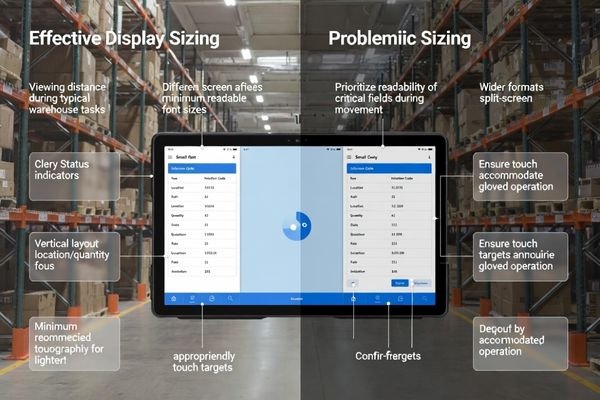
A good sizing decision starts with what must never be misread: location code, quantity, pick/confirm prompts, and status states. Define minimum character height and stroke thickness for the real viewing distance, then ensure the layout stays readable while the device is moving. Higher resolution can help layout density3, but it can also push UI elements smaller—raising error risk—unless the UI is designed for it. Validate with real operators walking, scanning, and confirming, because the “best” resolution on paper can be worse in practice if it encourages cramped typography and small touch targets.
What brightness, reflection control, and viewing angle choices matter in warehouses?
In warehouses, glare control often limits readability more than raw brightness.
Warehouse readability is often glare-limited. Choose brightness with margin for the brightest zones, but pair it with reflection control (cover lens treatment, haze, optical stack). Ensure wide viewing angles so contrast and status colors remain clear off-axis during walking and scanning. Validate in aisles and dock sunlight.
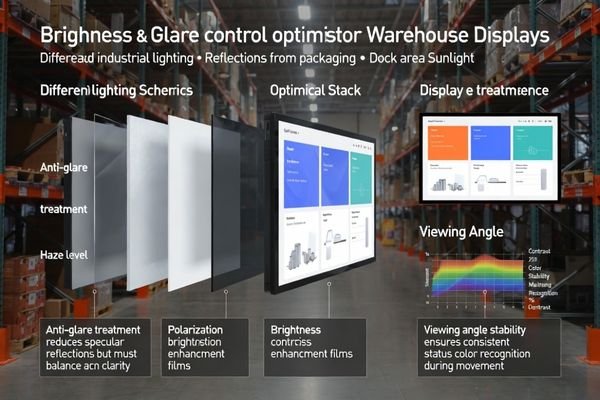
Brightness alone is not a cure: pushing brightness higher can increase heat and power, and it can still lose to specular reflections from glossy packaging and scanner lighting. Reflection control and cover-lens strategy determine whether the display stays readable when the screen catches a bright fixture or dock sunlight. Viewing angle performance matters just as much because operators view the screen from shifting angles; contrast and color recognition must remain consistent to prevent misreads of alarms and status cues. Always validate in representative aisles and near dock doors at typical angles and distances.
| Lighting Challenge | Technical Solution | Performance Impact |
|---|---|---|
| Overhead Industrial Lighting | High brightness with anti-glare treatment | Maintains contrast under bright fixtures; verify under ceiling lights at working angle |
| Package Reflections | Low-haze cover lens with controlled surface | Reduces specular reflection interference; verify with glossy cartons nearby |
| Dock Area Sunlight | Enhanced brightness margin and polarization | Preserves readability in bright zones; verify near doors at peak daylight |
| Mixed Angle Viewing | Wide viewing angle with stable color4 | Consistent display across operator positions; verify off-axis status-color recognition |
Effective warehouse display optimization requires systematic validation under realistic lighting and viewing conditions because specification sheet performance may not predict actual operational readability during typical warehouse workflows.
Which interface, power, and durability risks cause field failures in picking terminals?
Most field failures come from power transients, sleep/wake sequencing, connectors under shock, and ESD/EMI—not from “bad panels.”
Most field failures come from integration margins: power droops during radio bursts/charging, unstable reset/enable sequencing, connector intermittency under shock, and frequent ESD. Symptoms include intermittent black screens, flicker, color shifts, or touch issues, often worsened by EMI from motors and chargers.
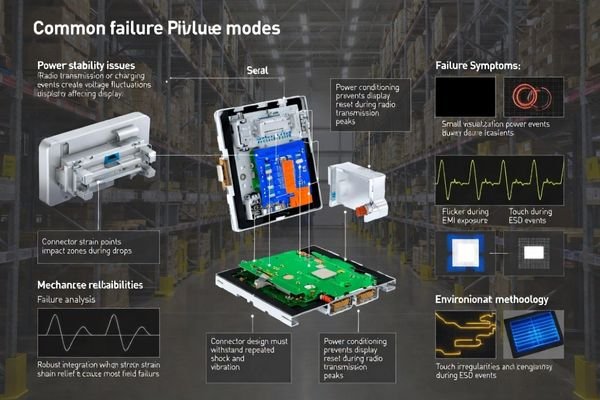
A useful way to think about these risks is “symptom to layer.” Intermittent black screens often point to transient power droops or unstable reset/enable sequencing during sleep/wake; flicker can point to backlight control stability under transients; random color shifts can be state/configuration restore issues; touch anomalies (if present) can be ESD susceptibility or grounding issues. Warehouses also expose weak EMI margins—chargers, motors, and dense cabling can degrade links and cause rare but costly intermittent faults. For comprehensive reliability analysis and integration optimization during complex warehouse terminal development requiring systematic failure prevention, engineering teams can contact info@lcdmodulepro.com when durability requirements demand specialized expertise in mobile display applications and harsh-environment protection strategies.
Power and Interface Stability
Picking terminals see frequent power events: docking/undocking, charging transitions, and radio transmit peaks that can cause brief voltage droops. Stable display behavior depends on deterministic initialization—especially after sleep/wake—and tolerance to short transients without entering undefined states. Interface robustness5 should consider EMI exposure in real cable routes and provide enough margin that the link remains stable across shocks and temperature swings. Validation should include repeated sleep/wake cycles, transmit/charge stress conditions, and recovery behavior checks.
Mechanical Protection Requirements
Mechanical durability is not just “drop rating”—it is also how mounting, connectors, and strain relief prevent intermittent contact under vibration and impact. Cover-lens robustness must balance impact resistance with optical performance and glare control. Serviceability matters for fleets: designs that require delicate rework or exact alignment to replace parts create hidden maintenance costs. Validate with realistic handling and mounting scenarios, not only benchtop checks.
How do you build a selection checklist and decide when to go custom for picking terminals?
A checklist works best when it converts workflow into measurable requirements and acceptance criteria—then validates them in real warehouse conditions.
Build a checklist from workflow inputs (distance/angle, glare scenes, glove use, sleep/wake frequency, drops/ESD/EMI). Convert them into measurable requirements for size/resolution, glare control, viewing angle, interface/power stability, and mechanical protection. Go custom when standard modules force fragile trade-offs in optics, size, durability, or fleet consistency.
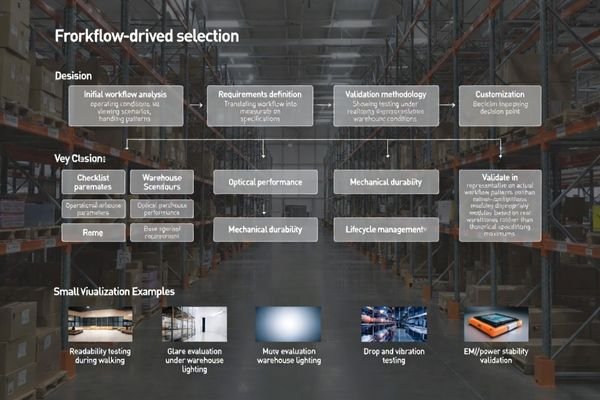
To make the checklist actionable, define the minimum input set up front: working distance/angles, worst glare scenes (aisles vs dock doors), glove/touch requirements, expected drops/vibration handling, temperature zones, sleep/wake frequency, and cable routing near EMI sources. Then translate into acceptance criteria you can repeat across builds: legibility checks using the real UI, off-axis status-color recognition, glare resistance6 under representative lighting, deterministic wake behavior, and stability under transient power events. Customization is usually justified when standard modules force fragile compromises—unusual aspect ratios, extreme glare control needs, strict batch-to-batch visual consistency for fleet replacement, tight enclosure constraints, or harsh shock/ESD exposure—because co-optimizing optics, backlight, mechanics, and validation as one system lowers total integration risk.
Warehouse Picking Terminal Selection Framework:
- Operational Workflow Analysis: Define viewing distances and angles during walking, cart operation, and scanning activities, identify lighting extremes including overhead fixtures, reflective surfaces, and dock area conditions, establish glove use requirements and touch target sizing for accurate operator interaction, document duty cycle patterns including frequency of sleep and wake transitions affecting interface stability
- Display Performance Requirements: Determine screen size and resolution ensuring error-free readability of critical information fields, establish brightness levels with margin for worst-case glare conditions paired with appropriate reflection control, define viewing angle requirements maintaining color and contrast accuracy across operator positions, specify response time and uniformity standards supporting rapid visual confirmation tasks
- Integration and Durability Specifications: Plan mechanical mounting approach including shock absorption and strain relief for cable connections, select cover lens strategy balancing impact resistance with optical performance requirements, define environmental sealing approach addressing dust, moisture, and temperature variation protection, establish EMI and ESD protection levels matching warehouse equipment and handling patterns
- Customization Decision Criteria: Consider customization when aspect ratio or size requirements exceed standard module options, when glare control demands exceed standard optical stack capabilities, when batch consistency requirements for fleet deployment exceed normal production variation, when enclosure integration constraints require specialized mechanical or electrical optimization, when reliability and serviceability requirements demand systematic validation and lifecycle support
FAQ
Should picking terminals prioritize brightness or glare control first?
In many warehouses, glare control determines readability; set brightness with margin, but validate it together with cover-lens surface treatment and haze.
How do I validate readability for real operators?
Test with the actual UI at real distances while walking and scanning, and verify key text size, contrast, and status-color recognition off-axis.
What causes intermittent black screens in handheld terminals?
Common causes include transient power droops, unstable reset/enable sequencing during sleep/wake, connector intermittency from shock, or EMI affecting links.
Do warehouses need wide-temperature modules?
If terminals move between cold docks, unheated areas, and warm zones, verify response, contrast, and backlight behavior across the real temperature range.
How do I reduce fleet maintenance risk over years?
Use controlled specifications, acceptance criteria, golden samples, and lifecycle planning so replacements match optics and performance across batches.
When is customization the right choice for picking terminals?
When glare, shock/ESD, enclosure constraints, or batch consistency requirements can’t be met with a standard module without fragile compromises.
Conclusion
Selecting LCD display modules for warehouse picking terminals is a real-world optimization problem: maximize glance readability under glare and off-axis viewing while ensuring stable behavior through frequent sleep/wake, shocks, and ESD/EMI exposure. Reliable selections begin with operator workflow and environment, translating into measurable requirements for size/resolution, brightness and reflection control, viewing angle performance, interface and power stability, mechanical protection, and lifecycle consistency for fleet replacement. When standard modules cannot meet these constraints together, customization that co-optimizes optics, backlight, mechanics, and validation criteria is often the lowest-risk path for long-term warehouse deployment.
MEIDAYINGNUO provides specialized display module selection and customization services for warehouse picking terminals requiring optimized readability, durability, and reliability across demanding mobile applications. Our engineering team offers comprehensive workflow analysis, environmental validation, mechanical integration support, and custom optical optimization ensuring LCD modules deliver consistent performance throughout complex warehouse operations requiring reliable visual interface support for critical productivity workflows. Contact our technical specialists when warehouse picking terminal projects require expert analysis and systematic optimization for reliable mobile display performance.
✉️ info@lcdmodulepro.com
🌐 https://lcdmodulepro.com/
-
Understanding glance legibility can significantly improve efficiency; this resource will provide insights into its importance in fast-paced environments. ↩
-
Understanding state changes is crucial for optimizing warehouse efficiency and technology integration. ↩
-
Exploring layout density can reveal how to balance information presentation and usability, enhancing user experience. ↩
-
Exploring this topic reveals how consistent color recognition improves user experience and reduces errors in critical environments. ↩
-
Understanding interface robustness is crucial for ensuring stable connections in devices, especially under varying conditions. ↩
-
Improving glare resistance is vital for user experience. This resource offers innovative solutions and techniques to enhance display visibility. ↩