Input lag is the total time from a user action to visible feedback on the screen. It directly shapes “responsiveness” because interaction is a timing loop—when feedback arrives late or inconsistently, users lose the sense of direct control even if the visuals look smooth.
Input lag is the end-to-end delay from an input (touch, click, key press) to visible feedback on the display. It comes from scanning, scheduling, rendering, buffering, and refresh timing. Higher lag—or inconsistent lag—breaks the hand-eye loop, making interactions feel less responsive even at stable FPS.
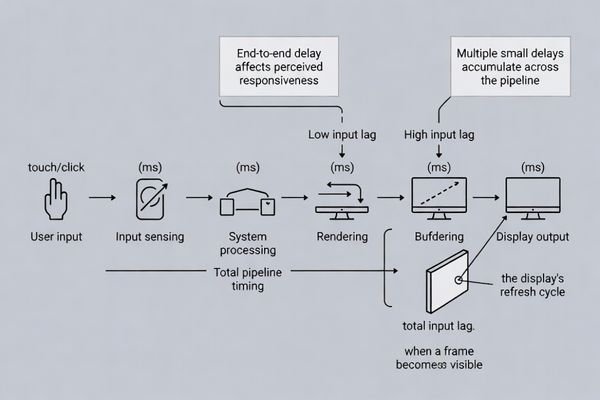
In many interactive products, lag is not caused by a single “slow” part, but by multiple small waits across the pipeline: input sampling intervals1, OS scheduling, event queues, rendering, composition, and display scanout timing. These waits can stack into one or more frames of delay.
A practical way to improve responsiveness is to treat lag as a timing budget. If you can timestamp where time is spent—input captured, app updated, frame submitted, frame scanned out—you can identify hidden buffers and late scheduling that make the system feel behind the user.
What exactly is input lag?
Input lag represents the complete time delay from user input initiation to visible system response, encompassing all pipeline stages affecting interaction timing.
Input lag is the time from a user action to visible feedback, most often an updated image on the display. It is not the same as network latency or pixel response time. It is an end-to-end pipeline delay that can include input sampling, OS/app scheduling, rendering, buffering, and scanout timing.
Input lag measures the timing link between intent and feedback. Two systems can render at the same frame rate but feel very different if one processes input late or buffers extra frames before the display updates. That is why lag is often noticed first in direct manipulation (touch dragging, cursor control) and fast aim/selection tasks.
End-to-End Timing Definition
Input lag includes every stage from detecting the action to making the response visible. This can include the input device’s scan interval, the OS event dispatch timing, application logic, rendering, graphics composition, and the display’s scanout. Because the user only perceives the final feedback, any buffering anywhere in the chain increases the perceived delay.
Pipeline Delay Accumulation2
Small delays compound. A few milliseconds from input sampling, a few from scheduling, and a full frame from buffering can quickly become “one to two frames” of lag. That amount is often enough to feel like the system is “always behind,” especially when users make continuous corrections based on feedback.
Where does input lag come from in the signal chain?
Input lag accumulates across input sensing, processing, and display output stages, with buffering and scheduling decisions at each stage contributing to total delay.
Input lag is usually the sum of three paths: input (sampling/scan), compute (OS scheduling, event queues, app logic, rendering), and display (composition, frame buffering, scaling/processing, refresh synchronization, scanout). Multiple buffered stages can add whole frames of delay, which users notice in direct manipulation.
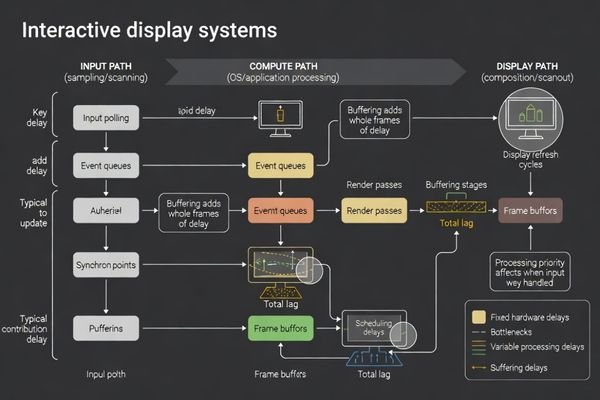
To prioritize, look for places where the pipeline can “wait”: input captured late in a frame, work queued behind other tasks, frames waiting in a composition queue, or scanout synchronized conservatively to refresh. In many systems, the largest contributors are not raw compute time, but queueing and buffering choices3 made to improve smoothness or stability.
Why does input lag feel worse than small performance drops?
Input lag disrupts closed-loop interaction timing more severely than performance variations because it affects predictability and control perception.
Input lag feels worse because interaction is a closed-loop control task: users move, observe, correct, and repeat. Extra delay breaks the sense of direct control. A system can be smooth at stable FPS yet still feel unresponsive if it buffers frames or processes input late. Consistency often matters as much as the absolute lag number.
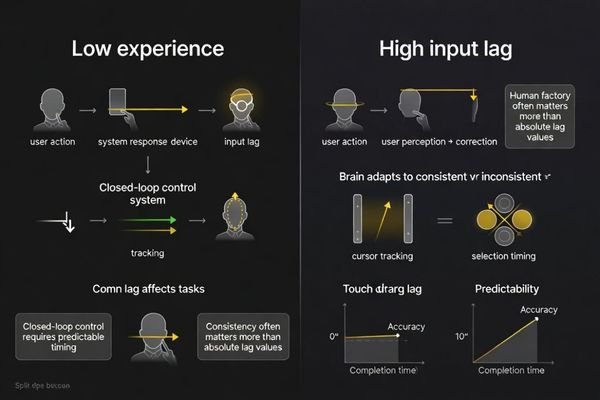
Users can tolerate some visual imperfection if the timing is predictable. But when feedback arrives late or varies from moment to moment, users must compensate by “leading” the system, which reduces accuracy and confidence. That is why a stable 60 FPS experience can still feel worse than a slightly lower frame rate experience if the lower frame rate path has less buffering and more timely input handling.
| Performance Issue Type | User Impact | Interaction Effect | |
|---|---|---|---|
| Input Lag Increase | Breaks hand-eye coordination | Reduces control accuracy and confidence | |
| Frame Rate Drop4 | Visual stuttering | May be noticeable but doesn’t affect timing prediction | |
| Inconsistent Lag | Unpredictable response timing | Prevents motor learning and skill development | |
| Processing Delay | Late system response | Forces compensatory prediction strategies | } |
Use this comparison to triage complaints: if users say it feels “behind” even when motion looks smooth, suspect buffering and input timing; if they complain about “stutter,” suspect frame pacing or performance throughput.
How do refresh rate, frame buffering, and touch scanning impact responsiveness?
Refresh timing, buffering strategies, and input sampling rates directly determine the minimum achievable input lag through system timing coordination.
Refresh rate sets when new pixels can become visible, so higher refresh can reduce the waiting window. But buffering can still add whole frames at any refresh rate. Touch scanning rate and sampling timing also matter: late input sampling can miss the current render cycle and wait for the next, increasing end-to-end lag.
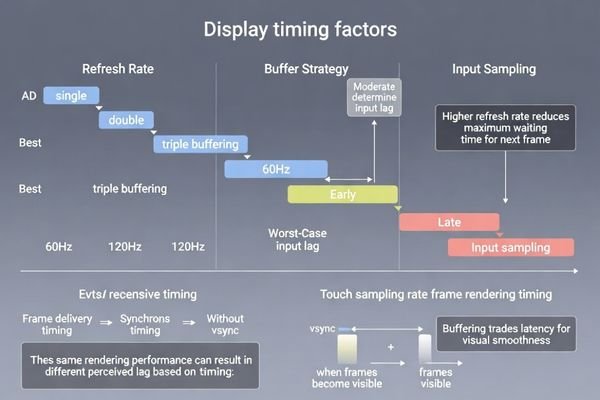
Higher refresh reduces the best-case time to show a new frame, but it does not guarantee low lag if the pipeline queues frames. Double/triple buffering, frame pacing logic, and composition layers may intentionally keep extra frames “in flight” to avoid tearing or stutter. Those choices can improve smoothness while increasing latency.
On the input side, scan rate sets how quickly an input device can detect changes, but timing is just as important as frequency. If touch is sampled after the frame’s update deadline, the response cannot be rendered until the next cycle, adding a full-frame penalty. Low-latency design aims to sample input earlier, update state promptly, and keep the display pipeline predictable.
Refresh Rate and Visual Update Timing
Refresh rate limits when new information can appear. At higher refresh, the maximum wait to the next visible update is shorter, which can reduce perceived lag. The benefit is largest when the rest of the pipeline is already tight and not adding extra buffered frames.
Buffering Strategy5 Impact on Latency
Buffering often trades latency for smoothness. Extra queues in composition, driver buffering, or intermediate processors can add a frame or more even when rendering is fast. If responsiveness is a priority, minimize unnecessary buffering and verify that “smoothness features” are not silently increasing end-to-end lag.
How can you diagnose and reduce input lag in real products?
Input lag diagnosis requires systematic measurement across the complete pipeline while reduction focuses on eliminating hidden buffers and optimizing timing coordination.
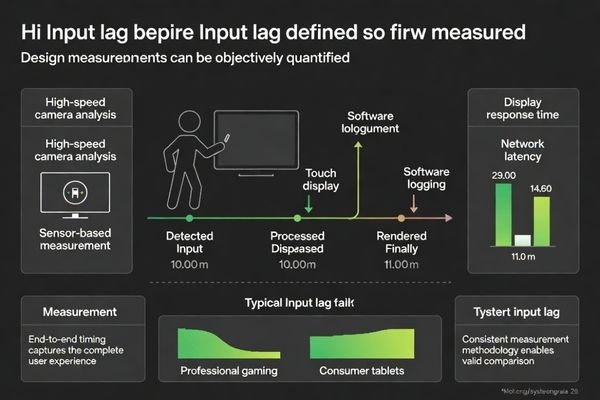
Measure input lag as a timing budget: record when input is sampled, when the frame is rendered, when it is queued for scanout, and when it becomes visible. Then remove hidden buffers and late scheduling—extra composition queues, conservative vsync policies, heavy post-processing, or app logic that reacts one frame late. Tighten the loop so the newest input drives the next visible frame.
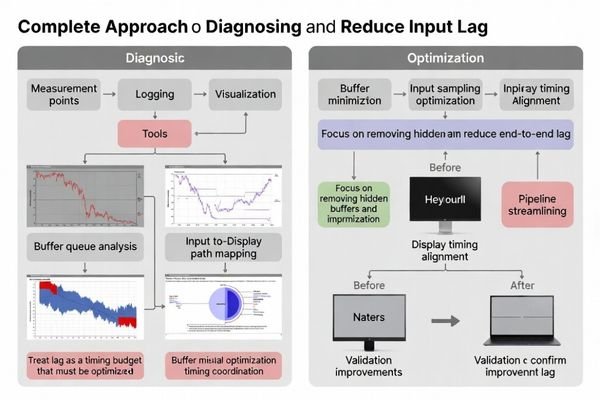
Start by making the pipeline observable. Even simple timestamp logging6 at key points can reveal whether lag is dominated by input sampling, app scheduling, rendering time, or display buffering. If you can reproduce a “laggy” state under load, compare timing data to a “good” state to see which stage grows.
Reduction usually comes from removing or shortening queues, processing input earlier, and making frame submission and scanout timing more consistent. In display module integration, also check whether any intermediate components in the signal path add frame buffers for scaling or enhancement—these can silently add one or more frames of latency. Finally, verify changes under realistic load, because latency often looks good on an idle bench and regresses when the system is busy.
Systematic Measurement Framework
Pipeline Timing Analysis:
- Input sampling timestamp recording to establish baseline measurement reference
- Render completion timing tracking through complete processing pipeline
- Display scanout timing measurement ensuring accurate visibility determination
- End-to-end delay calculation across complete user interaction cycle
Hidden Buffer Identification:
- Composition queue analysis revealing unexpected delay sources in display pipeline
- Application logic timing audit identifying late input processing and response generation
- Graphics driver buffer inspection uncovering additional frame delays in rendering path
- Display controller timing verification ensuring minimal processing delay addition
Optimization Strategy Implementation
Input Processing Prioritization:
- Early input sampling alignment with frame timing reducing wait cycles
- High-priority input event handling minimizing scheduler-induced delays
- Direct input path optimization bypassing unnecessary processing stages
- Cautious use of prediction only where it cannot introduce visible error
Display Pipeline Streamlining:
- Unnecessary scaling and post-processing elimination reducing computational delay
- Composition layer minimization avoiding additional buffering stages
- Display interface timing optimization ensuring stable and predictable refresh behavior
- Frame buffer reduction strategies balancing visual smoothness with responsiveness
Validation and Continuous Monitoring
Performance Verification:
- User experience testing validating perceived responsiveness improvements
- Benchmark comparison ensuring optimization effectiveness across usage scenarios
- Timing consistency analysis confirming stable low-latency operation under load
- Regression testing preventing optimization side effects on system stability
FAQ
Is input lag the same as response time or pixel response?
No—pixel response is how fast pixels change; input lag is the total time from user input to visible feedback, which can include multiple buffered stages beyond pixel transition.
Can higher refresh rate alone eliminate input lag?
It helps, but buffering and scheduling can still add whole frames; reducing unnecessary buffers and aligning input sampling timing are often more important.
Why does a system feel laggy even when FPS is stable?
Stable FPS can still be paired with late input processing or extra frame queues, so the output is smooth but always behind the user’s intent.
How much input lag do users typically notice?
Sensitivity varies by task, but direct manipulation and fast aiming often reveal even small increases; consistency matters as much as the absolute number.
Does touch scanning rate affect perceived responsiveness?
Yes—lower scanning rates or late sampling can add delay before the system even starts rendering the response, increasing end-to-end lag.
What’s a common hidden cause of input lag in display pipelines?
Intermediate processors or composition layers that add frame buffers for smoothing, scaling, or image enhancement can silently add one or more frames.
Conclusion
Input lag is the cumulative delay from user intent to visible feedback, created by input sampling, scheduling, rendering, buffering, and display refresh/scanout timing. It affects responsiveness because interaction depends on tight, predictable timing—extra delay or variability makes users feel disconnected from the system even when motion is smooth. By measuring the pipeline as a time budget, removing hidden buffers, sampling input earlier, and keeping the display chain predictable under load, teams can make interaction feel materially more responsive.
MEIDAYINGNUO provides engineering support for LCD display module integration in latency-sensitive products, including end-to-end timing analysis, buffer and pipeline review, and display interface coordination to improve interaction responsiveness while maintaining stable visual performance.
✉️ info@lcdmodulepro.com
🌐 https://lcdmodulepro.com/
-
Exploring this topic will provide insights into reducing lag and improving performance in your applications. ↩
-
Exploring pipeline delay accumulation can help identify performance bottlenecks and enhance system responsiveness. ↩
-
Understanding queueing and buffering choices can help optimize system performance and improve smoothness. ↩
-
Exploring frame rate drop effects can help optimize gaming performance and enhance user satisfaction. ↩
-
Exploring buffering strategies can help you minimize latency and improve the smoothness of your video playback. ↩
-
Understanding timestamp logging can help you identify performance bottlenecks in your pipeline. ↩