
Selecting the right LCD display module for a vending machine is more complex than just finding a screen that fits. The display must guide users through selection and payment while remaining readable and reliable in demanding retail environments.
The ideal vending machine display solution requires careful balance of three critical factors: screen size and format must support intuitive product selection and payment flow, brightness and optical design must ensure readability under harsh retail lighting, and the entire assembly must withstand 24/7 operation in varying environmental conditions.
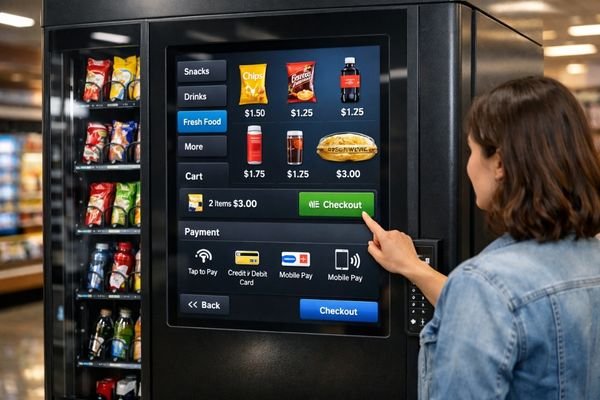
In real vending deployments, display choices quickly cascade into door cutout design, protective cover selection, cable routing, EMI/EMC risk, cabinet heat management, and long-term serviceability. The display isn’t just showing information—it’s guiding potentially first-time users through transactions, often in a high-glare environment and under strict uptime expectations. Getting this right means treating user interaction, optical performance1, and reliability as one integrated system rather than separate checkboxes.
Screen Requirements in Vending Machines: UI Flow, Mounting Space, and User Distance
Every vending machine display must serve a critical user journey: browse, select, pay, and confirm—often with users who have never operated that specific machine before.
A successful vending machine display implementation starts with mapping the complete user interaction flow, measuring viewing distances and angles for standing operation, and documenting the mechanical constraints of the door assembly including window size, mounting depth, and service access requirements.
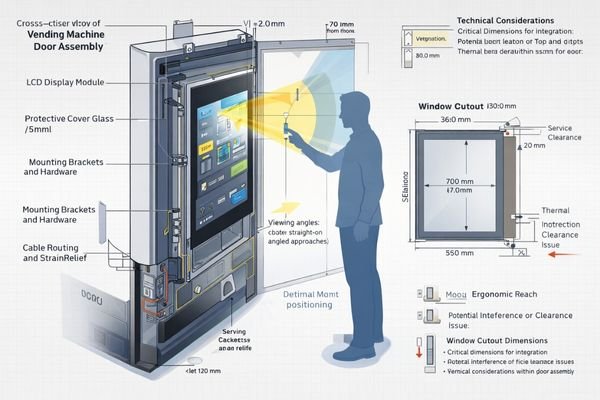
Getting these fundamentals right is crucial for long-term success. Let me explain the key considerations: define the installation scenario (indoor mall, station corridor, near windows), the expected duty cycle (hours/day, peak usage), and the cabinet’s worst-case thermal condition (hot interior air, limited airflow). If the display sits behind a glossy protective cover, assume reflections can dominate readability—so you should validate content legibility on the real front stack early, not after mechanical tooling is frozen.
User Experience Requirements
The display must support clear product visualization and intuitive payment guidance. Text size, touch targets, and viewing angles all need to work for standing users who may approach from different directions or heights. If users typically stand off-axis or approach quickly, prioritize stable viewing performance and high-contrast UI design (clear price, selection state, and payment prompts). If the UI includes time-sensitive steps (payment confirmation, error recovery), make state transitions obvious and avoid subtle low-contrast indicators that can disappear under glare.
Physical Integration Constraints2
The door design sets critical boundaries for display integration. Window size, bezel overlap, connector placement, and service access must all be considered. Plan for real assembly constraints: cable bend radius, strain relief, and connector retention so repeated door opening and service operations do not fatigue the harness. If condensation is possible (cold entryways, temperature swings), design for sealing and moisture control at the assembly level—because humidity issues often present as intermittent “touch” or “display” problems in the field.
Choosing the Right Screen Size and Form Factor for Product Browsing and Payments
The display’s physical format must effectively support your user interface design while fitting within machine constraints.
Screen size selection for vending machines involves more than just maximizing the viewing area. The ideal format balances product visualization needs, payment interface requirements, and practical constraints like door cutout dimensions and internal clearances.
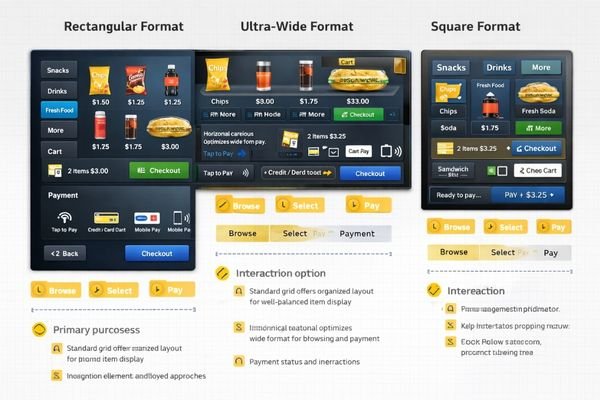
Modern vending interfaces often benefit from creative display formats that maximize the usefulness of available space while supporting clear user flows. The practical goal is to minimize user hesitation: the best display layout makes it obvious what to do next, even under glare and time pressure. If your product lineup is large or promotion-heavy, screen real estate helps—but only if the content remains readable through the cover and from typical standing distance.
Content Layout Optimization
Ultra-wide formats like BU215X excel for horizontal product carousels or split layouts showing both products and payment status. Square formats like SQ220S can work well for simpler selection interfaces or machines with narrow door designs. If your UI keeps key information persistent (price, selection count, payment status), an ultra-wide format can reduce screen switching and speed up decisions; if your flow is step-based and compact, a square format can keep touch targets larger and easier to hit. Choose resolution to support legible fonts and clear product imagery at the real viewing distance—higher pixel count increases interface bandwidth and processing demands without automatically improving real-world usability.
Integration Engineering
Success requires detailed attention to the complete assembly stack including touch sensors3, protective covers, and mounting hardware. Every millimeter of thickness and each mounting point affects serviceability and long-term reliability. Validate the real stack-up early: active area alignment with the window, bezel tolerance, connector clearance, and the mechanical path for cable routing. If the design uses a protective cover, confirm that touch performance and readability remain acceptable through that cover—because the “panel-only” experience often differs significantly from the assembled machine.
Brightness and Readability: Fighting Glare Through Glass and Store Lighting
Display readability in vending machines faces unique challenges from overhead lighting, window reflections, and protective panels.
Achieving good readability requires considering both display brightness and reflection control. The solution must account for real installation conditions including overhead lighting, nearby windows, protective covers, and the optical effects of bonding layers.
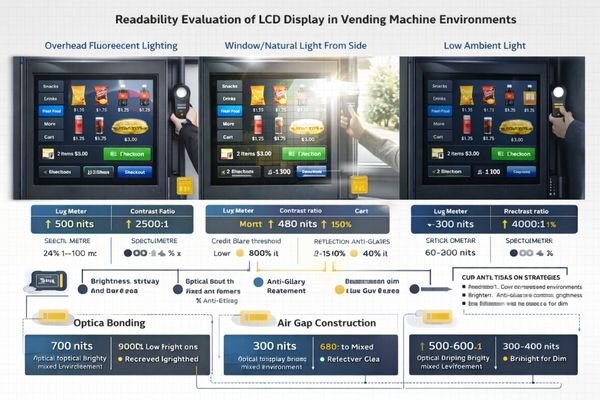
The complete optical stack—display, touch sensor, and protective cover—determines real-world performance:
- Brightness requirements by location type
- Anti-glare and anti-reflection treatments
- Bonding options and optical matching
- Power and thermal implications
Each layer affects both readability and reliability, making this a critical system-level decision. A useful rule is: if glare and reflections are the main complaint, simply increasing brightness may not fix the problem—reflection control and optical stack4 choices often deliver the biggest perceived improvement. Always evaluate readability on the real machine door (or a representative mockup) under the harshest expected lighting before you finalize the module and the cover specification.
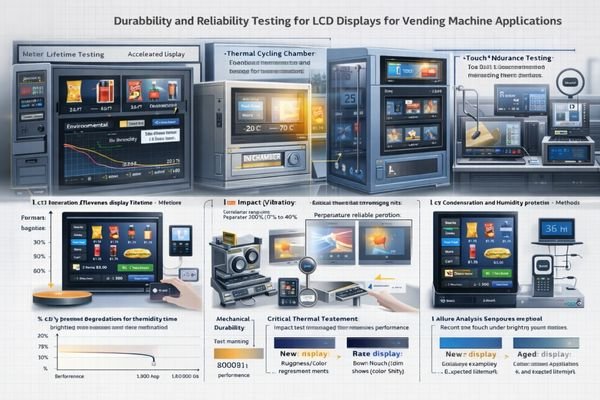
Durability and Lifetime: 24/7 Duty Cycle, Thermal Stress, and Vandal Resistance
Vending machine displays must maintain reliable operation under continuous use and occasional abuse.
Long-term display durability depends on managing multiple stress factors: continuous operation affects backlight lifetime, cabinet heat impacts internal components, and front surfaces must resist both daily wear and occasional vandalism.
Lifetime Engineering
Continuous operation requires careful thermal management and brightness control. Models like HB215X and HB238X are commonly shortlisted when higher brightness is needed for readability, but they still require system-level thermal planning inside the cabinet. In practice, backlight aging5 is strongly influenced by temperature, drive current, and duty cycle, so a display can last much longer when you avoid running maximum brightness continuously. If the machine runs 24/7, implement a day/night schedule or ambient-based dimming and validate the worst-case temperature rise at the required on-screen brightness.
Environmental Protection
Protection against humidity, condensation, and physical impact must be designed into the complete assembly. The mounting system must maintain stability despite door operation and servicing. For high-traffic locations, consider front-surface durability (cleaning chemicals, frequent tapping, impact risk) and ensure the cover and mounting structure can withstand repeated use. If the machine is placed near cold entrances or humid areas, plan condensation prevention and validate with tests that reflect real temperature swings and operating hours—not just short functional checks.
Recommended LCD Module Pro LCD Module Models for Vending Machine Scenarios
LCD Module Pro’s experience with vending machine manufacturers has helped us identify optimal display solutions for different machine designs and usage patterns.
Our engineering team specializes in helping customers evaluate and validate complete display solutions, including optical stacks, mounting systems, and thermal management strategies.
| Role / Application | Usage Pattern | Display Requirements | Recommended Model | Key Integration Considerations |
|---|---|---|---|---|
| Product Showcase | Horizontal Browse | Wide Format, Clear Graphics | BU215X | Mounting Depth, Cable Routing |
| Compact Interface | Quick Selection | Square Format, Touch Optimized | SQ220S | Door Cutout, Service Access |
| High Ambient Light | Mall/Station Use | Enhanced Readability | HB238X | Thermal Design, Power Budget |
| Split UI Layout | Browse + Payment | Ultra-wide Format | BU156X | Window Size, Bezel Design |
| Premium Machines | Interactive Browse | High Readability, Robust Stack | HB215X | Full Stack Thickness, Cooling |
These recommendations are intended as a practical shortlist rather than a guarantee of drop-in compatibility. Final selection should be confirmed against your actual optical stack (touch/cover), cabinet thermal conditions, cable routing and interface stability, and your end-of-life brightness expectations. If your constraints are tight—strong ambient light, long duty cycle, limited airflow, or frequent servicing—early system-level validation is usually the fastest way to avoid late redesigns.
FAQ
How do I determine the right display brightness for my vending machine?
Test readability in real installation conditions, accounting for overhead lighting, window reflections, and your protective cover stack. Higher brightness isn’t always the answer—reflection control is equally important.
What’s the most important durability consideration for vending displays?
Thermal management in 24/7 operation. Continuous high brightness in a warm cabinet accelerates aging, so design for adequate cooling and implement intelligent brightness control.
Should I prioritize larger screen size or better readability?
Focus on what supports clear product selection and payment steps. A properly sized display with good readability is more effective than a larger but harder-to-read screen.
How do I prevent condensation issues in cold environments?
Consider the complete thermal design including internal air circulation, sealing methods, and possible heating solutions for high-humidity locations.
What impact does protective glass have on display performance?
Cover glass can significantly affect brightness and reflection behavior. The full optical stack must be evaluated together, often leading to higher brightness requirements or different optical treatments.
Conclusion
Successful vending machine display integration requires balancing user interface needs, optical performance, and long-term durability. By carefully considering your real operating conditions and user interaction requirements, you can select a display solution that maintains both usability and reliability throughout its service life.
LCD Module Pro specializes in LCD modules engineered for demanding retail environments. Our team can help you evaluate options and validate your complete display assembly design. For detailed discussion of your vending machine requirements, please contact our engineering team.
✉️ 961531917@qq.com
🌐 https://lcdmodulepro.com
-
Exploring optical performance can enhance user experience by ensuring clear visibility and effective guidance in high-glare environments. ↩
-
This resource provides insights on overcoming physical integration challenges, ensuring seamless display functionality and durability. ↩
-
Learn about the critical role of touch sensors in UI design, ensuring reliability and enhancing user interaction. ↩
-
Understanding the optical stack is crucial for optimizing display performance and addressing issues like glare. ↩
-
Learn about backlight aging to optimize display performance and extend lifespan, ensuring your investment lasts longer. ↩