
Access gates and turnstiles are the gateways to secure areas, managing the flow of people in airports, offices, and public transit. The display module on these gates is a critical user interface, providing instant feedback like "Access Granted," "Access Denied," or guidance arrows. A poor display choice can lead to user confusion, slower throughput, and frequent maintenance calls.
To choose the right LCD display module for access gates, you must prioritize readability under mixed lighting, wide viewing angles for users in motion, and long-term reliability. The selection process should focus on stable brightness, robust mechanical and electrical integration, and lifecycle continuity to ensure consistent performance across all deployed units.
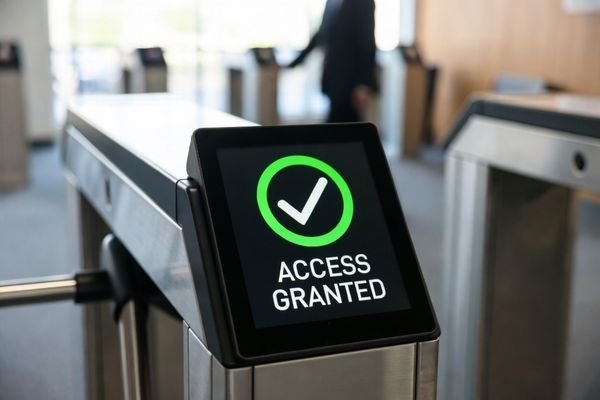
In LCD display module integration work at MEIDAYINGNUO, many successful turnstile projects treat the display as critical infrastructure, not “just a screen.” The requirements are fundamentally different from consumer handheld devices. These displays must be instantly readable from a distance, at an angle, and under a mix of harsh sunlight and indoor lighting. They operate for long hours every day and must withstand vibration from the gate mechanism.
The goal is not to create a rich multimedia experience but to deliver a clear, unambiguous message in a split second. This shifts the engineering focus away from chasing unnecessary display specs and toward ensuring contrast stability1, glare control, and robust reliability. A successful selection process balances optical performance with the mechanical and electrical realities of a high-uptime, public-facing environment.
What are the real display requirements for access gates and turnstiles?
Unlike consumer handheld devices, a turnstile display serves a specific operational function: communicate status and guidance instantly to users who are moving and rarely stop for long. Defining requirements around that reality prevents over-design and reduces field issues.
The primary requirement for an access gate display is fast, unambiguous readability. This means prioritizing contrast, viewing angle consistency, and quick update response over high resolution. The module must reliably show high-contrast prompts like arrows and status icons under variable lighting and long operating hours.
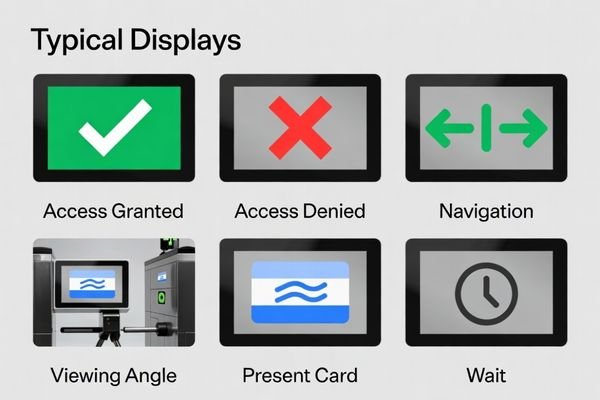
From an engineering standpoint, it helps to focus on requirements that directly affect throughput and user behavior:
- Instant legibility: Users glance briefly, often while walking. Clear icons (checkmark, X, arrows), strong contrast, and uncluttered layouts matter more than pixel density.
- Operational clarity: The display must remain readable under direct sunlight at entrances, overhead indoor lighting, and darker nighttime settings. This drives brightness margin, reflection control, and dimming behavior.
- Reliability and durability2: Turnstiles run for years with minimal intervention. The module should tolerate long daily hours, frequent cycles, and vibration without degrading into flicker, uneven brightness, or artifacts.
- Fast response: Status changes (granted/denied, direction) must update immediately to avoid hesitation and queue buildup.
These requirements naturally push selection toward modules designed for consistent readability and long-life operation rather than consumer-optimized characteristics.
How do ambient light, glare, and viewing angle affect module selection?
The turnstile location creates a challenging optical environment: mixed indoor lighting, sunlight spill at entrances, glass reflections, and off-axis viewing as users approach. A module that looks fine head-on can become washed out when viewed from the side, which is exactly how many users see it.
Access gate displays must maintain readability despite glare from ambient light and off-axis viewing angles. Prioritize wide viewing behavior and an optical stack (cover lens, surface finish) that manages reflections, ensuring key UI elements remain clear without relying on excessive backlight drive.
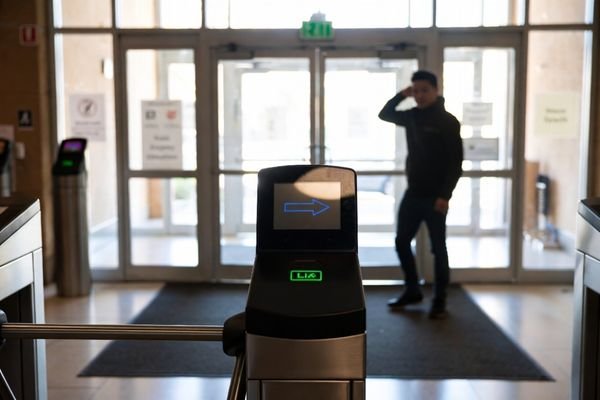
When selecting for real installations, three variables tend to dominate:
- Viewing angle and motion: Displays are often mounted around chest height and seen while moving, at oblique angles. Poor off-axis behavior can reduce contrast and make status colors ambiguous.
- Ambient light and reflections3: Building entrances can create strong glare that makes standard displays unreadable. Managing reflections with surface finish and cover lens strategy is often more effective than simply increasing brightness, which can increase heat and aging.
- Day/night operation: The module should be bright enough in daylight but able to dim comfortably at night. Low-brightness dimming should remain stable and free of visible flicker, especially in indoor lobbies and transit stations.
Treat the optical stack—the LCD, any touch layer, and the cover lens—as a system decision, because reflections and perceived contrast are strongly affected by the front-surface design.
What reliability and lifecycle factors matter most in turnstile deployments?
Because turnstiles are long-life infrastructure, reliability and supply continuity matter as much as optical performance. Selection should assume long daily operating hours, exposure to vibration, and electrical noise from motors and readers.
For turnstile deployments, critical reliability factors include backlight aging behavior under the intended brightness range, thermal stability, and resistance to vibration. Equally important is lifecycle management—supply continuity and controlled revisions—so replacement modules remain consistent with the original validated design.
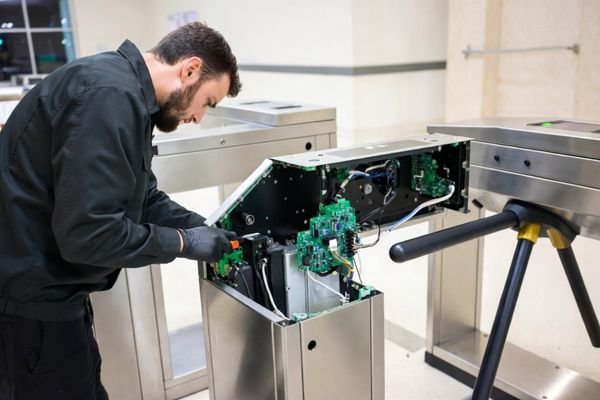
Based on typical system integrator deployments, long-term considerations include:
- Backlight aging4: Evaluate lifetime data under your intended brightness and temperature conditions, and leave margin so readability does not degrade prematurely.
- Mechanical robustness: Ensure secure mounting that tolerates constant vibration. Use connector strategies that resist loosening over time and reduce intermittent faults.
- Lifecycle continuity: Plan for field replacements years later. Controlled revisions and stable supply continuity help ensure replacements match the validated mechanical and optical behavior.
- Serviceability: Make replacement practical without disassembling the entire gate front panel, reducing downtime and maintenance cost.
How do you align the module interface and system architecture with gate controllers?
The display module must integrate cleanly with the gate controller, power system, and noisy electromechanical subsystems. A simple, well-matched architecture is usually more reliable than one that relies on multiple converters and long cable runs.
To ensure reliable integration, select a module interface that matches the native output of your gate controller and design the signal chain to minimize conversions and EMI exposure. Pay close attention to power distribution and grounding so motor and reader noise does not create flicker, artifacts, or resets.
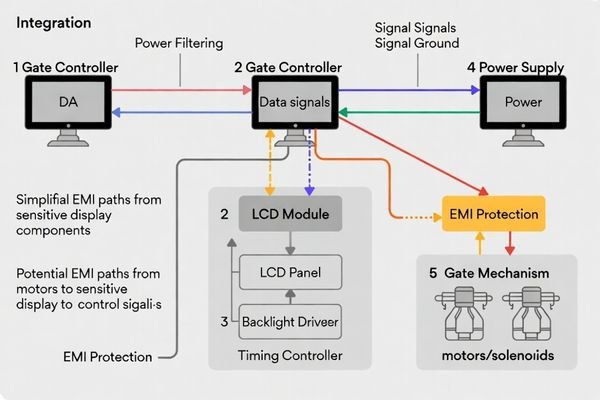
Here is a practical integration-focused checklist presented as a table for easier review during design:
| Integration Area | Common Risk in Gates/Turnstiles | Selection / Design Response |
|---|---|---|
| Native Interface | Extra adapter boards increase failure points and can degrade signal integrity. | Prefer a module interface that aligns with the controller’s native output and keep the conversion chain minimal. |
| Cable Routing | Long harnesses and poor reference paths increase EMI susceptibility. | Keep display cabling short, well-referenced, and routed away from motor/solenoid paths where possible. |
| Power Integrity | Motor/solenoid transients can cause dips, ripple, flicker, or resets. | Use filtered, stable rails with margin; plan for backlight current transients and adequate decoupling. |
| Grounding & EMI5 | Noise couples into data lines or dimming control, causing intermittent artifacts. | Implement a solid grounding scheme and validate under real motor operation and worst-case electrical noise. |
| Backlight Control | Control signals may be noisy; low-level dimming can flicker if poorly implemented. | Ensure dimming method is compatible with the controller and remains stable at low brightness in night conditions. |
A clean architecture is not just about signal compatibility—it is also about predictable behavior under motor noise and real operational conditions.
Which LCD display module types work best for access gates/turnstiles, and how do you choose?
The “best” module is one matched to the gate’s environment, UI layout, and maintenance model. Selection works best as a methodical exercise: define the optical use case, map UI content to form factor, confirm integration fit, then lock lifecycle expectations.
For access gates, modules with strong off-axis readability are commonly preferred for users in motion. The selection process should prioritize brightness and reflection control for the environment, an interface that simplifies integration, and long-term availability to keep performance consistent across deployed units.
Here’s a structured approach to making the right choice:
Step 1: Define Optical and Environmental Needs
Start with the user experience. How far away and from what angles will users see the display? What are the worst-case lighting and reflection conditions? This defines requirements for viewing behavior, brightness margin, and anti-glare/anti-reflection surface choices.
Step 2: Match Shape and Size to the UI
Consider the information you need to display. A simple status indicator may only need a compact square layout. A gate providing directional guidance may benefit from a wider, bar-type layout to show arrows and text side-by-side. Choose an aspect ratio that fits the UI without wasting space.
Step 3: Verify Electrical and Mechanical Fit
Confirm the module interface aligns with your controller architecture and that power requirements fit your budget with margin. Use mechanical drawings to ensure secure mounting and service-friendly access in the gate chassis.
Step 4: Plan for Long-Term Reliability and Supply
Discuss lifecycle expectations with the supplier. Confirm how revisions are controlled, how continuity is handled over multi-year programs, and how replacement consistency is managed so field service does not become a redesign.
FAQ
Do access gates need high resolution, or is brightness and contrast more important?
For most turnstiles, readability at a glance matters more than high resolution. Prioritize contrast, viewing angle behavior, and stable brightness, then choose resolution that supports your icon/text size without making the UI visually cramped.
How bright should a turnstile LCD module be for entrances with daylight?
Define your worst-case ambient lighting and reflection conditions first, then select brightness with margin so the UI stays readable without excessive backlight drive. Over-driving brightness can increase glare and accelerate aging.
What causes washed-out text when users approach from an angle?
Off-axis viewing can reduce contrast or alter gray/color appearance depending on the LCD mode and optical stack. Choosing wide-view behavior and managing reflections via cover lens and surface finish are both important.
How do EMI and motor noise in gates affect LCD modules?
EMI can couple into display signals or backlight control lines, causing flicker, intermittent artifacts, or brightness instability. Keeping the signal chain simple, grounding well, and validating under real motor operation helps reduce risk.
Should the module support comfortable night dimming for 24/7 installations?
Yes, especially for indoor lobbies and transit stations. Low-brightness dimming should be stable and free of visible flicker, and it should remain repeatable across temperature and supply variation.
How can you reduce maintenance risk when replacing a display module in the field?
Use consistent mechanical interfaces, avoid overly integrated optical parts that force full panel replacement, and choose suppliers with controlled revisions and stable supply continuity so replacements behave the same.
Conclusion
Choosing an LCD display module for an access gate or turnstile is an exercise in engineering for reliability and clarity. The focus should be on ensuring the display is instantly readable under real-world conditions, not on chasing the highest specs. Success comes from prioritizing strong off-axis readability, effective glare management, and stable brightness control. It also requires a disciplined approach to system integration so the display works harmoniously with the gate controller’s electrical and mechanical systems.
At MEIDAYINGNUO, we specialize in providing robust, industrial-grade display modules designed for the demands of infrastructure applications like access control. We understand that long-term reliability and supply continuity are paramount. By working with a supplier who understands these unique requirements, you can select a display that not only looks great on day one but also performs reliably for years to come, reducing total cost of ownership and supporting a seamless user experience.
✉️ info@lcdmodulepro.com
🌐 https://lcdmodulepro.com/
-
Learn about the significance of contrast stability in ensuring readability and reliability in public display applications. ↩
-
Discover strategies and insights on building reliable and durable systems that stand the test of time. ↩
-
Exploring strategies for managing ambient light can improve display readability and overall user experience. ↩
-
Understanding backlight aging is crucial for ensuring long-term display quality and performance. ↩
-
Effective grounding and EMI management are vital for reducing noise and improving the performance of electronic systems. ↩