
Displays in transportation systems often operate in demanding public, vehicle, station, platform, and outdoor environments. Unlike screens used in stable indoor settings, they may face changing light, vibration, temperature variation, long operating hours, and different viewing distances. Defining the right transportation display requirements is therefore a system-level decision, not simply a matter of choosing screen size, brightness, or resolution.
A successful transportation display is not just a bright screen. It is a reliable display module designed to balance sunlight readability, viewing angle, vibration resistance, wide temperature operation, mechanical stability, interface compatibility, long operating hours, and lifecycle supply. These requirements must be defined around the complete transportation system and its real operating conditions.
In transportation display projects, one common issue is that teams evaluate the display module by brightness or resolution first1, while vibration, temperature range, mounting structure, interface compatibility, and lifecycle requirements are reviewed too late. A screen may look good in a short indoor test, but still become difficult to read, mechanically unstable, or hard to maintain once installed in a vehicle, station, or outdoor terminal.
This article provides an engineering perspective on the critical display requirements for transportation systems. It moves beyond basic specifications and explains the system-level factors that determine whether a transportation display module can remain readable, stable, and serviceable in long-term operation.
Transportation Displays Need System-Level Evaluation
The biggest mistake when specifying a display for a transportation system is treating it like a general-purpose screen. Transportation displays are not used only in controlled indoor environments. They may be installed in buses, trains, stations, ticketing terminals, passenger information systems, vehicle panels, and outdoor transportation equipment.
Transportation display requirements should be evaluated around the complete operating environment. Sunlight, vibration, temperature, viewing distance, mounting structure, interface output, and maintenance expectations must be considered together because weakness in one area can affect the reliability of the entire system.
A display inside a bus faces different requirements from one installed on an outdoor platform. A vehicle display may need to handle continuous vibration, window reflection, and limited mounting space. A platform display may need stronger sunlight readability, wider viewing angle, and better temperature tolerance. A ticketing or information terminal may need stable operation, touch support, and long service life.
For transportation equipment projects, transportation display applications should be reviewed around the actual installation environment, passenger viewing conditions, and system integration requirements. Simply selecting a “high-brightness” or “rugged” display is not enough if the module has not been evaluated as part of the complete transportation system.
Core Display Requirements for Transportation Systems
For a display to succeed in a transportation system, it must meet a set of connected requirements. These are not isolated parameters. A display with strong brightness may still fail if the connector is unstable under vibration. A module with good resolution may still be unsuitable if it cannot support the required temperature range or long-term supply needs.
A robust transportation display module should balance sunlight readability, wide viewing angle, vibration resistance, wide temperature operation, mechanical reliability, interface compatibility, long operating hours, and lifecycle stability. These factors should be reviewed together before the display direction is finalized.
In transportation display reviews, the goal is not to maximize one specification while ignoring the others. The better approach is to define the complete requirement profile first, then select or customize the display module around that profile.
| Requirement | Why It Matters | Design Direction |
|---|---|---|
| Sunlight Readability | Outdoor platforms and vehicle windows create strong ambient light. | High brightness + [optical treatment](http://https://lcdmodulepro.com/engineering-technology/high-brightness-customization/ https://lcdmodulepro.com/solutions/ "optical treatment") |
| Wide Viewing Angle | Passengers read information from different positions. | Wide-view panel + UI planning |
| Vibration Resistance | Vehicles and rail systems create movement and shock. | Mechanical mounting + cable fixation |
| Wide Temperature Operation | Outdoor and vehicle environments change by season and location. | Wide-temp components + thermal review |
| Long Operating Hours | Public systems may run daily or 24/7. | Backlight lifetime + heat control |
| Interface Compatibility | Displays must connect reliably to system controllers. | LVDS/eDP/HDMI/MIPI review |
| Lifecycle Stability | Transportation programs often require long service periods. | Long-term supply + change control |
For transportation equipment projects with different installation environments, it is useful to compare related display module types before locking the final display direction. This helps connect the transportation use case with the right brightness level, interface, mechanical format, temperature range, and engineering review path.
Sunlight Readability and Wide Viewing Angle
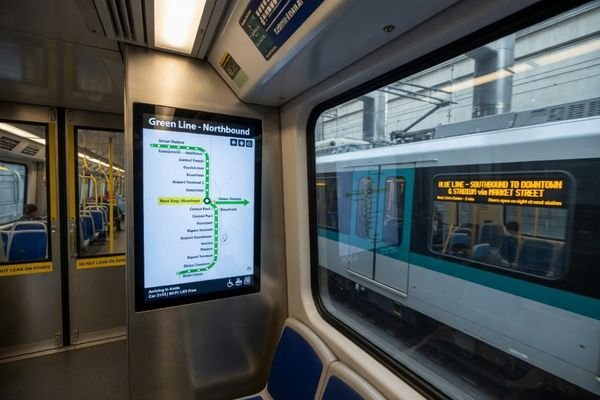
Transportation information often needs to be read quickly, from different positions, and under changing light conditions. A train platform display may face direct sunlight. A bus display may suffer from window reflection. A station terminal may operate in a semi-outdoor area with strong ambient light.
True readability in transportation environments depends on more than brightness. High brightness, contrast, reflection control, optical bonding, anti-glare or anti-reflective treatment, wide viewing angle, font size, and UI layout all affect whether passengers can read information clearly.
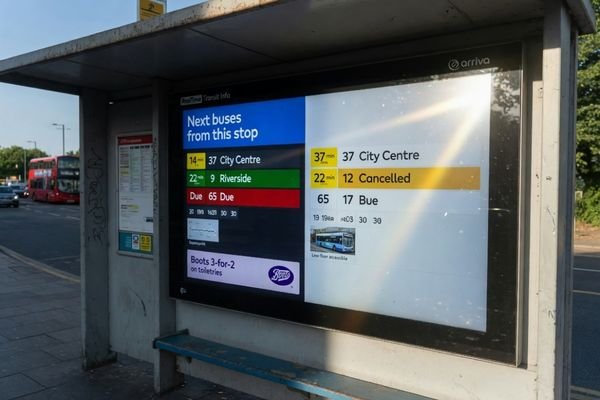
Brightness is important, especially for outdoor platforms and semi-outdoor terminals, but it should not be treated as the only solution. Strong ambient light can reduce perceived contrast, making the image appear washed out even when the backlight is powerful. Optical bonding can help reduce internal reflection, while AG or AR surface treatments can reduce glare at the front surface.
For transportation displays where sunlight readability is a core requirement, high brightness LCD modules can provide a better starting point than standard indoor modules. However, the final solution should still be evaluated with viewing angle, optical structure, installation position, and UI readability in mind.
Wide viewing angle is also important because transportation displays are rarely viewed only from the front. Passengers may read information while walking, standing to the side, sitting in a vehicle, or looking up from different distances. A suitable display should maintain legibility across practical viewing positions, not only in ideal test conditions.
Vibration, Shock, and Mechanical Stability
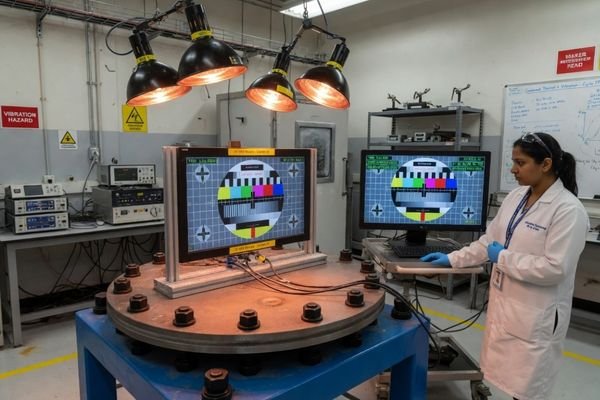
Transportation environments are dynamic. Displays installed in road vehicles, railway systems, and moving equipment may face continuous vibration, occasional shock, repeated movement, and long-term mechanical stress. This makes mechanical stability one of the most important requirements for transportation display modules.
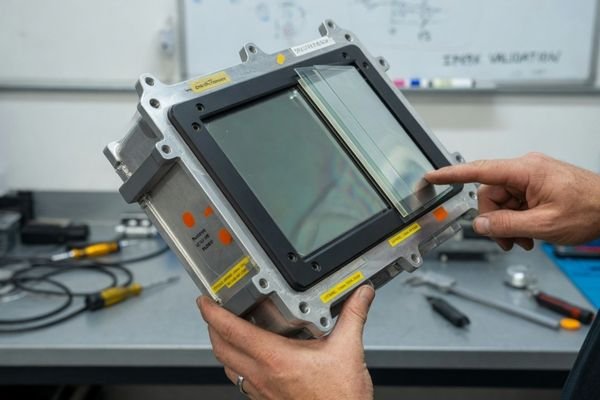
A transportation display’s mechanical design, including mounting structure, FPC routing, connector fixation, cable support, and enclosure fit, is critical for long-term reliability. Signal interruption or display failure caused by loose connectors or stressed cables is often preventable with proper mechanical review.
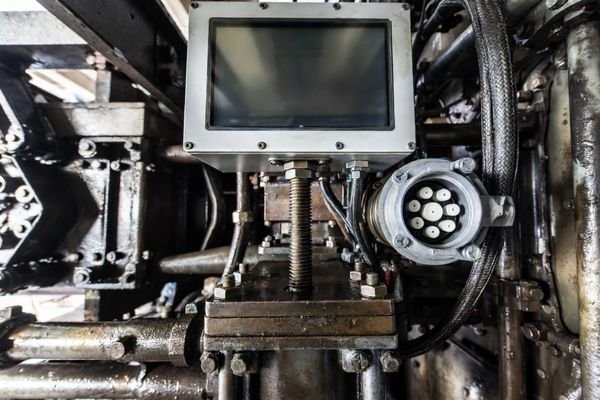
In transportation display design, the module should not only fit the enclosure. It should remain stable throughout operation. Mounting holes, frame strength, front-panel support, cable routing, connector position, and FPC stress should all be reviewed together.
A display that works well on a bench may face problems after months of vehicle vibration2 if the connector is not secured, the cable is under tension, or the mounting structure allows movement. These details may seem small during early design, but they can determine whether the display remains stable in long-term field operation.
Wide Temperature Operation and Thermal Reliability
Transportation displays may operate in cold mornings, hot vehicles, outdoor stations, enclosed equipment housings, or direct sunlight. These conditions create both low-temperature and high-temperature challenges. Wide temperature support is important, but it should be evaluated together with thermal reliability.
A transportation display must be able to operate consistently across the project’s required temperature range. Low temperature can affect LCD response, while high temperature and long backlight operation can accelerate aging or reduce stability.
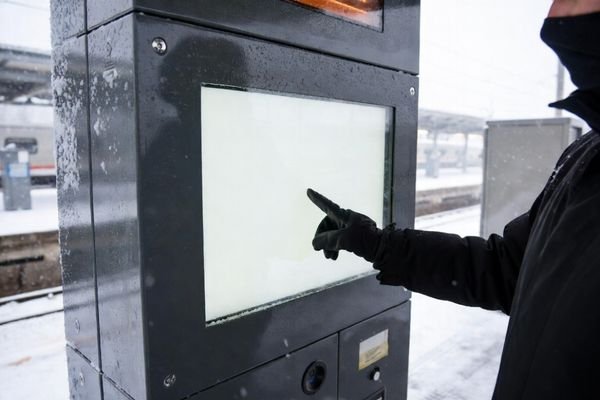
For transportation projects, the display module should use panels, backlights, driver boards, adhesives, and components suitable for the required operating environment. The exact temperature range should be defined by the project rather than assumed from a generic specification.
Low temperature may slow LCD response or affect optical behavior.3 High temperature may increase stress on the backlight, driver electronics, and bonding materials. In high-brightness transportation displays, backlight heat also needs to be considered because long operating hours can raise internal temperatures.
A suitable display module should be reviewed for panel temperature range, backlight stability, material reliability, enclosure heat dissipation, and actual duty cycle. The goal is not only to survive temperature extremes, but to maintain consistent readability and reliability over time.
Display Size, Resolution, and Readability Distance
Transportation information must often be read quickly and from different distances. Passengers may look at a platform display from several meters away, check a vehicle display while moving, or interact with a ticketing terminal at close range. The display size and resolution should be selected according to these real viewing conditions.
The right combination of size and resolution is the one that delivers readable information from the intended viewing distance. Higher resolution is not always better if UI elements become too small, and a larger screen is not always necessary when the displayed content is simple.
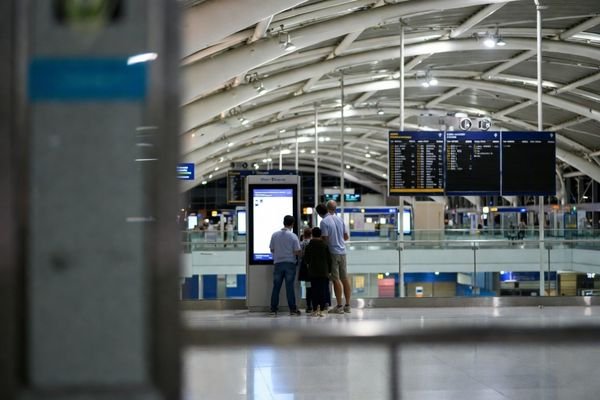
For passenger information displays, readability depends on font size, contrast, icon clarity, information density, and viewing distance.4 A large route or schedule display may benefit from a wider format that supports linear information, but the resolution must still support clear text and graphics. A ticketing terminal or vehicle control panel may require a smaller display with higher pixel density for close-range interaction.
The best choice depends on what information must be shown and how users will read it. Route maps, next-stop information, warnings, control data, and ticketing interfaces all create different requirements. Display size and resolution should therefore be defined around the user task, not only around available panel models.
Interface Compatibility and System Integration
Transportation displays are usually part of a larger electronic system. They must work with controllers, power systems, signal cables, software output, enclosure structure, and service procedures. Interface compatibility should be confirmed before the display module is locked.
Successful transportation display integration requires more than matching a connector. Interface type, signal timing, cable length, power stability, connector location, EMI considerations, and mounting space should all be reviewed to support reliable long-term operation.
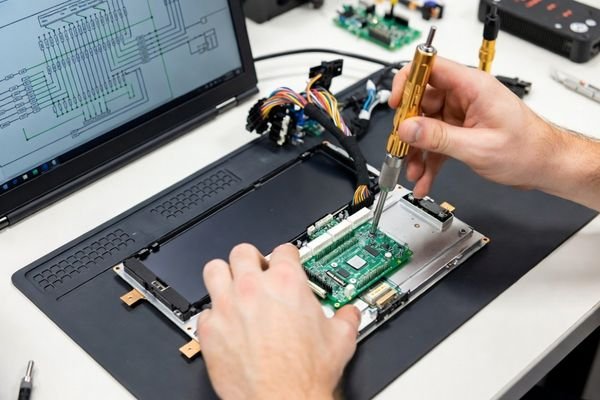
Interface selection depends on resolution, system controller output, cable distance, mechanical routing, and electrical environment. LVDS, eDP, HDMI, MIPI, or other interfaces may be suitable in different transportation projects. For example, LVDS may be useful in some longer-distance or noise-sensitive designs, but cable design, shielding, grounding, and EMI review are still required.
Physical integration also matters. Connector location, cable exit direction, board placement, and mounting space must match the enclosure and system layout. If these details are reviewed too late, the project may face mechanical rework, signal instability, or controller compatibility issues.
When interface output, display timing, cable routing, and mechanical integration must be reviewed together, it is better to discuss your custom display project before finalizing the display module. Early engineering review can help reduce compatibility risks before the design is frozen.
Lifecycle, Maintenance, and Supply Stability
Transportation projects often have long development cycles, long service periods, and high field maintenance costs. A display module change can affect mechanical design, software output, interface settings, mounting structure, and spare part management. This makes lifecycle stability a key requirement, not an afterthought.
For transportation systems, supply stability can be as important as technical performance. A low-cost display module that is frequently changed, discontinued, or difficult to replace can create higher project risk over the full product lifecycle.
Transportation equipment may remain in service for several years or longer. During that time, the display module may need to support continued production, field replacement, and maintenance. If the module changes unexpectedly, the project may require new mechanical validation, software adjustment, interface review, or customer approval.
Lifecycle support should therefore be considered early. Model consistency, change control, stable interface configuration, and long-term supply planning can reduce the risk of redesign and maintenance disruption. This is especially important for transportation systems deployed across multiple vehicles, stations, or service regions.
Transportation Display Requirements Checklist
Before selecting a display module for a transportation system, project teams should define a clear set of engineering requirements. A general request for a “transportation display” is not enough. The actual requirement depends on installation location, sunlight exposure, vibration, temperature, interface, viewing distance, and lifecycle expectations.
Before selecting a module, it is important to document the complete operating environment and system constraints. This turns a vague display request into practical requirements for readability, mechanical stability, thermal reliability, interface compatibility, and long-term supply.
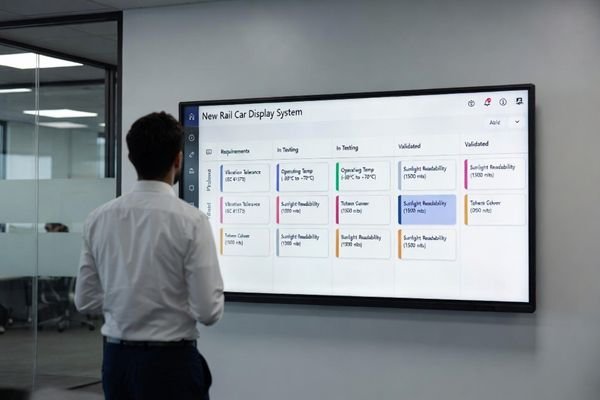
Here are the critical questions to answer at the start of a transportation display project:
- Where will the display be installed: inside a vehicle, at a station, on a platform, or in an outdoor terminal?
- Will the display face direct sunlight, window reflection, or strong ambient light?
- What viewing distance and viewing angle are required?
- Is vibration or shock expected during operation?
- What operating temperature range must the display support?5
- How many hours per day and days per week will the display operate?
- What display interface does the system controller support?
- What resolution and UI layout are required?
- How will the module be mounted and how will cables be routed?
- Is long-term supply consistency required for production and maintenance?
This is also the type of information our engineering team usually reviews before recommending a display direction. The clearer these conditions are, the easier it is to determine whether the project should use a standard display module, a high-brightness module, an interface-adapted solution, or a more customized LCD module structure.
Transportation Display Requirements FAQ
What brightness is needed for transportation displays?
The required brightness depends on whether the display is used indoors, inside vehicles, near windows, on platforms, or outdoors. Sunlight-readable transportation displays often require high brightness, but reflection control, viewing angle, and UI design are equally important.
Why is vibration resistance important?
Vehicle and rail environments can create continuous vibration and shock. Without proper mechanical mounting, cable fixation, and connector stability, the display may face intermittent signal issues or long-term reliability problems.
Do transportation displays need wide temperature support?
Many transportation displays require wide temperature support because they may operate in outdoor, vehicle, or semi-enclosed environments. Low temperature response and high temperature aging should both be considered.
What interface is suitable for transportation display systems?
The interface depends on the system controller, resolution, signal distance, power design, cable routing, and integration structure. LVDS, eDP, HDMI, and MIPI may all be suitable in different transportation projects.
What information is needed before choosing a transportation display module?
Important information includes installation location, sunlight exposure, viewing distance, vibration conditions, temperature range, size, resolution, interface, operating hours, mounting method, and lifecycle requirements.
Conclusion
Defining the right display requirements for a transportation system requires system-level evaluation. A suitable display module should not be selected only by brightness, size, or resolution. It should balance sunlight readability, wide viewing angle, vibration resistance, wide temperature operation, mechanical stability, interface compatibility, long operating hours, and lifecycle supply.
For transportation display projects, our engineering review usually starts with the installation location, sunlight exposure, vibration conditions, temperature range, interface output, mounting structure, operating hours, and lifecycle expectations. If your project needs a display module that must meet these combined requirements, custom LCD module engineering is the most practical next step before the design is locked.
→ Start your custom display project
✉️ info@lcdmodulepro.com
🌐 https://lcdmodulepro.com/
-
"Understanding and Applying Standards-Based Display Testing for …", https://www.youtube.com/watch?v=wbMA8TbXv2Y. Supports the point that transportation display reviews should consider vibration, temperature, mounting, interface, and lifecycle needs early, not only brightness and resolution. ↩
-
"Vibration-Induced Failures in Automotive Electronics", https://asmedigitalcollection.asme.org/electronicpackaging/article/140/2/020905/368002/Vibration-Induced-Failures-in-Automotive. Supports that vehicle-level vibration can loosen connectors, stress cables, and cause intermittent electronic failures over time. ↩
-
"LCD Temperature Range. Operating Limits for the Heat & Cold", https://orientdisplay.com/knowledge-base/lcd-basics/temperature-range/. Explains how low temperatures can slow LCD response and affect optical behavior, depending on panel technology. ↩
-
"Human Factors Assessment of ISO 9241-7, “Requirements for …", https://journals.sagepub.com/doi/10.1177/154193129804202205?icid=int.sj-abstract.similar-articles.8. Supports that font size, contrast, icon clarity, information density, and viewing distance all affect display readability. ↩
-
"LCD temperature range – Riverdi", https://riverdi.com/blog/lcd-temperature-range?srsltid=AfmBOoqRmQkt2WyIpido4_MhR6hblv-Q4gCVR92VHQRBSwQK6YkGZZW4. Explains how temperature extremes can affect LCD response, component reliability, and long-term display performance. ↩